Lineage and dependencies

Catch broken dashboards before anyone else does

Metabase follows your data from the tables to the dashboards people use. See what a change will break before you save it, and find what's already broken in one place.
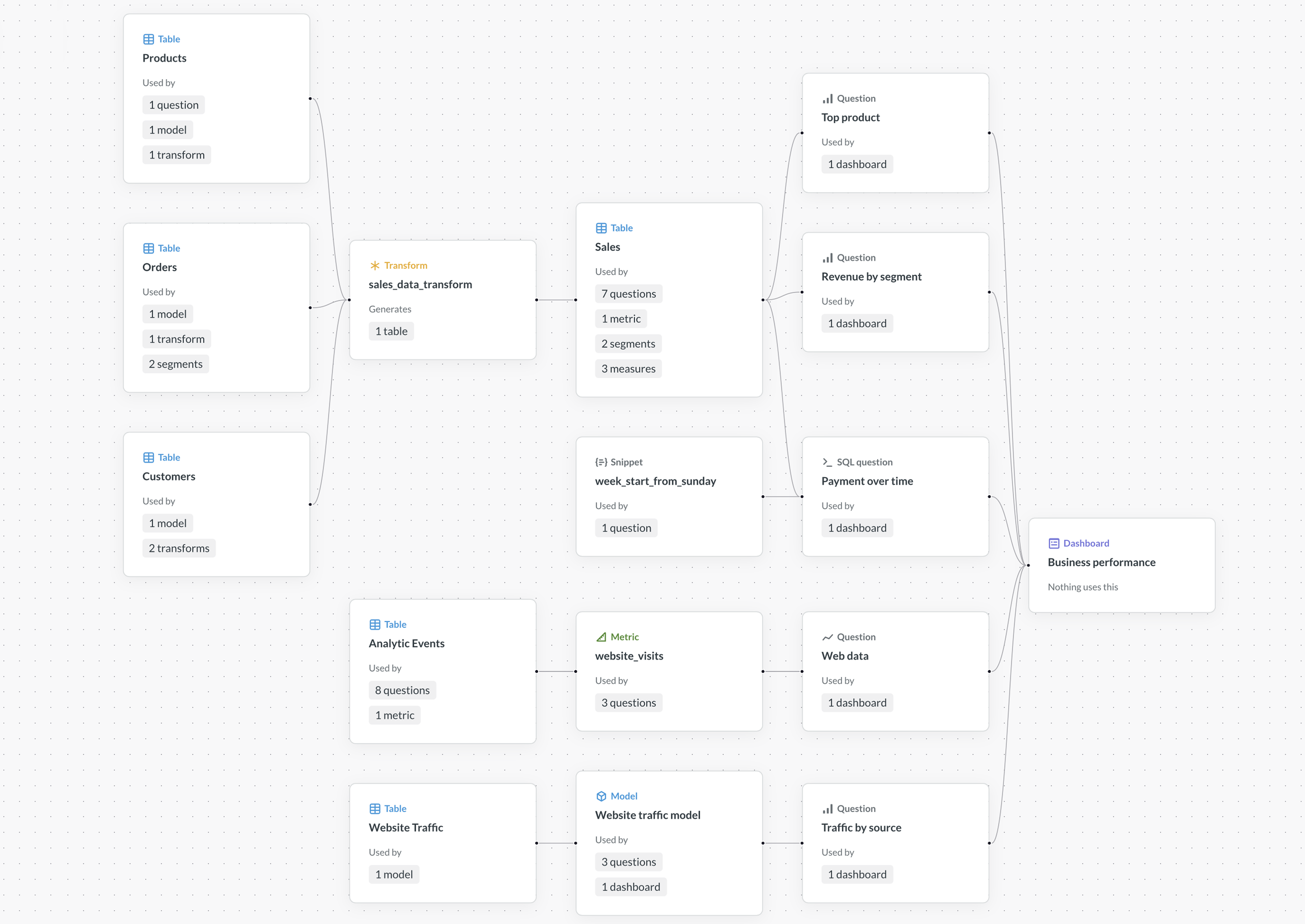
The dependency graph in Data Studio: Products, Orders and Customers tables feed a transform that generates a Sales table, which feeds questions, a metric and a model, all leading to a Business performance dashboard.

Every extra tool is another place for things to break

When your data passes from a transform tool to a semantic layer to a BI tool, every handoff is another sync to keep running and another copy of your definitions to keep in step. Each tool sees only its own part of the lineage. Build your transforms and metrics in Metabase, and one graph follows your data from the tables to the dashboards people open.

Where lineage splits A chain from raw tables, through transforms and clean tables, to metrics, questions and dashboards. In a stack of separate tools, a transform tool, a semantic layer and a BI tool each see only their own part of the chain, joined by syncs. In Metabase, one graph covers the whole chain. RAW TABLES TRANSFORMS SQL · PYTHON CLEAN TABLES METRICS MODELS · SEGMENTS QUESTIONS DASHBOARDS TRANSFORM TOOL SEMANTIC LAYER BI TOOL SYNC SYNC ONE GRAPH IN METABASE

See the blast radius before you save

Every dependency is tracked as you build, so the moment you change something, Metabase can show you what else it touches.

  • A check when you save. Change a question, model or metric, and Metabase looks for columns that other content still uses, and lists everything that would break before you save.
  • Both directions, with counts. Open anything in the graph to see what it relies on and what relies on it, with a count on every item, so you know which ones need extra care.
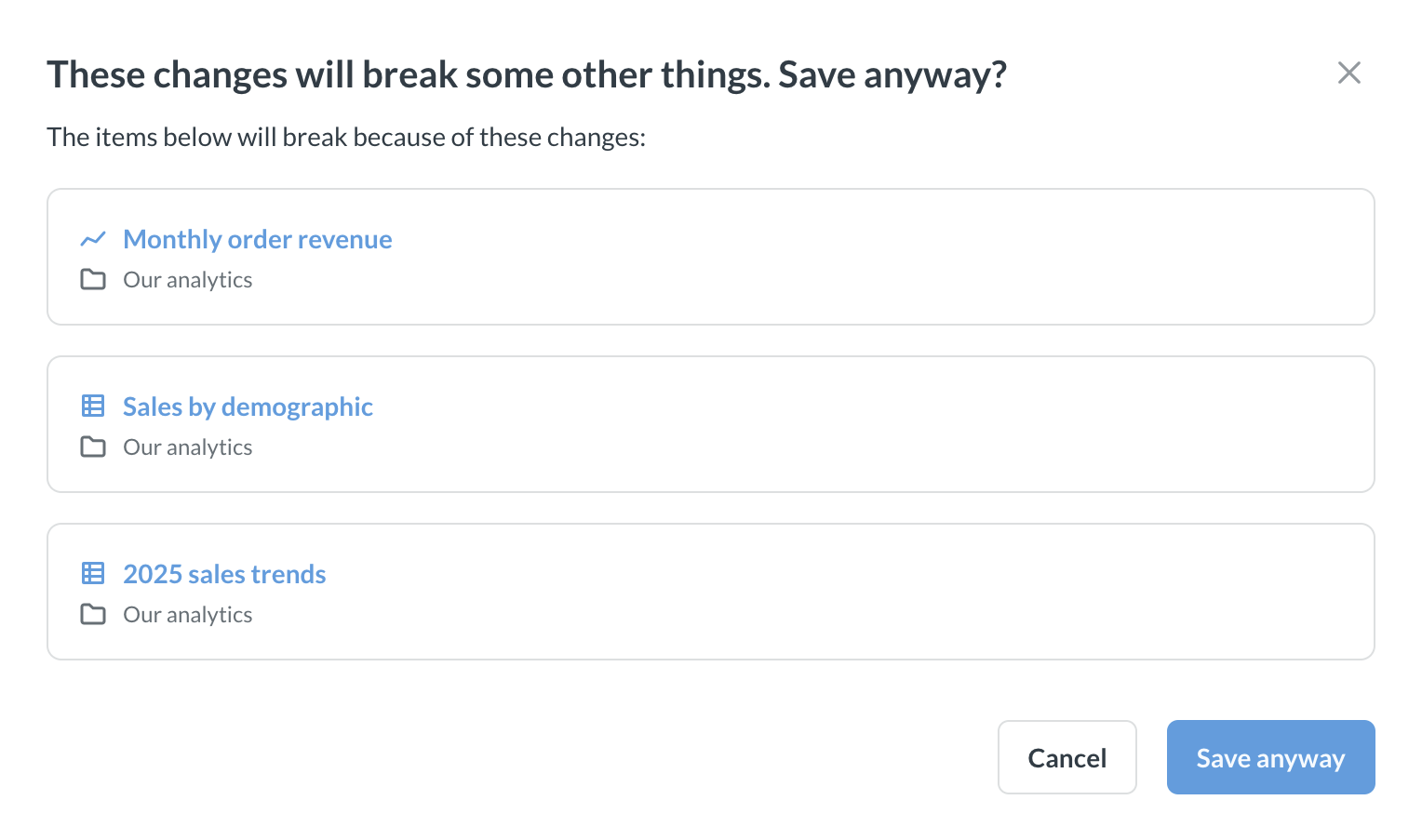
Metabase warns: These changes will break some other things. Save anyway? It lists the three questions that would break, with Cancel and Save anyway buttons.

Find and fix what's broken, in one place

Monitor collects the content that needs attention, so you're not waiting for someone to report a broken dashboard.

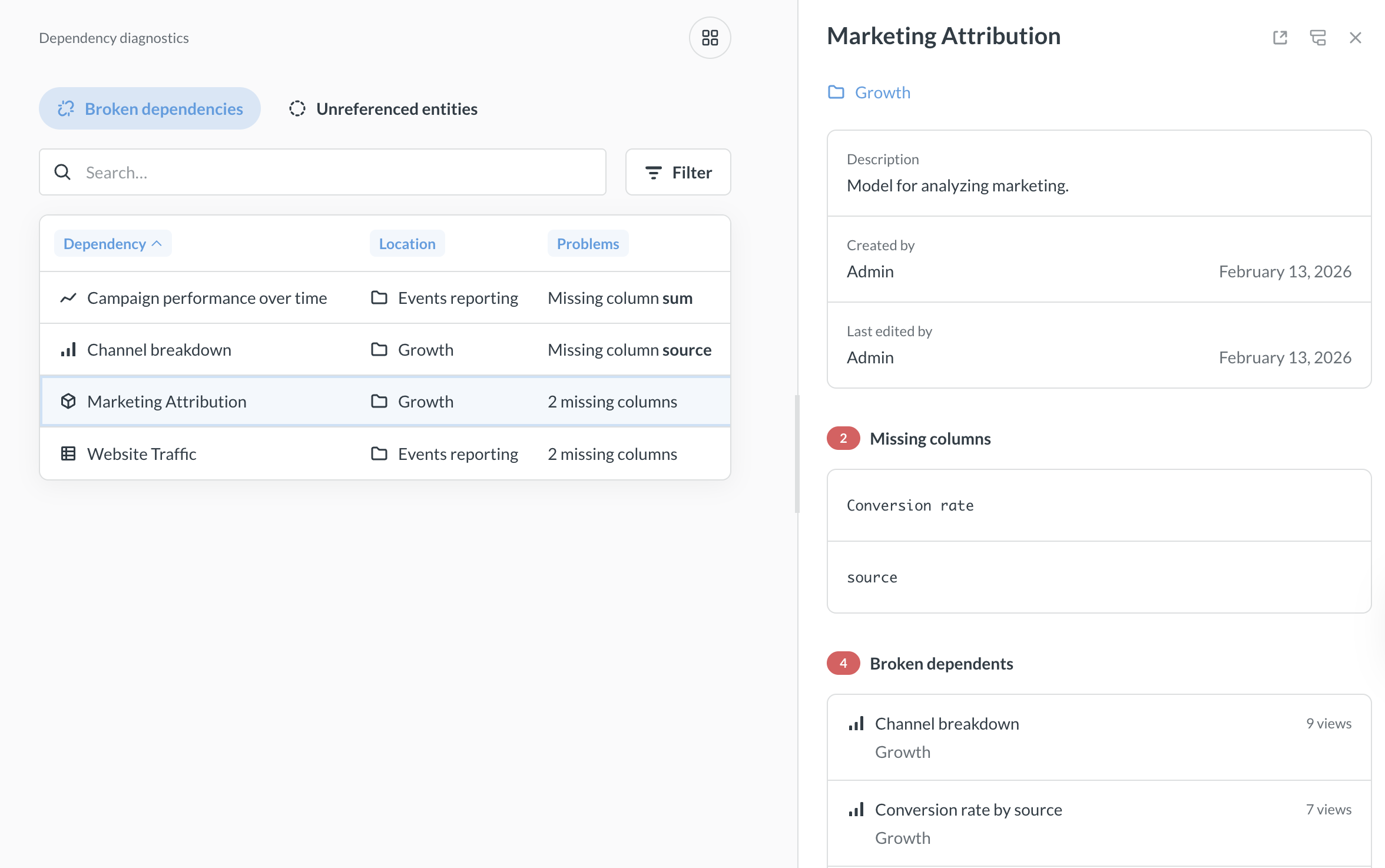
  • Broken dependencies. Each item that lost a column something else uses, which columns are missing, and every downstream item that breaks because of it, including ones that still run.
  • Unreferenced content. Anything nothing else depends on, with who made it and when it last changed, so you can clean up safely.
  • Erroring questions. Every question that failed on its last run, with the error and the database. Rerun them to check your fix.
  • Alerts management. Failing alerts, and alerts whose owner has left, with bulk owner changes.
See the rest of Monitor
Dependency diagnostics in Monitor, listing items with broken dependencies. The Marketing Attribution model is open, showing two missing columns and the four questions that break because of them.

Swap a data source everywhere at once

Admins can replace a table, model or question across your whole Metabase, using the graph to find everything that queries it.

  • One swap, everywhere. Built a clean orders_clean table with a transform? Point every question that used orders at it in one step.
  • Checked first. Metabase makes sure the new source has every column the old one did before it swaps anything.
  • Nothing deleted. The original stays where it is until you decide what to do with it.
  • Your agent can check too. The Metabase CLI gives coding agents the same graph, so they can list what depends on a table before they change it.
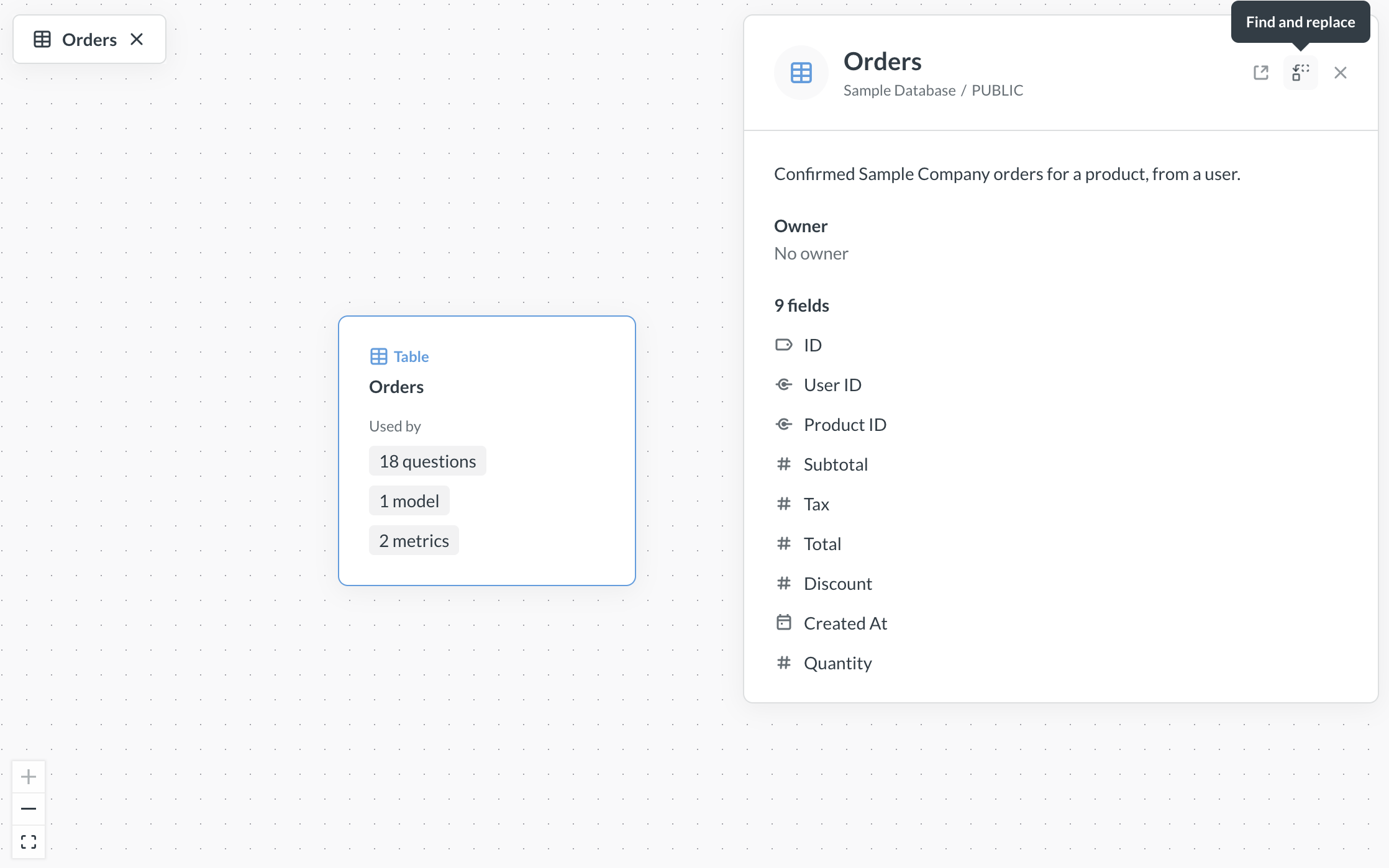
The Orders table in the dependency graph, used by 18 questions, a model and 2 metrics, with its details open and the Find and replace button highlighted.

Frequently asked questions

What does Metabase's dependency graph track?
Everything you build in Metabase: questions, models, metrics, snippets, transforms, dashboards, Documents and data apps, plus the tables they use. See the dependency graph docs.
We already use dbt. Do we need this?
Keep dbt to build your tables. dbt's lineage ends at those tables, and everything people build on them lives in Metabase. Metabase's graph starts from your tables and follows them to the dashboards people open. Transforms you build in Metabase show up in the same graph.
What does the breaking-change check catch?
When you save a question, model or metric, Metabase looks for removed or renamed columns that other content still uses, and lists what would break. It can't tell when a change to a column's type or to calculation logic will break something, so for those, look at the item's dependents in the graph before you save.
Does it work with SQL questions?
Yes. Metabase works out dependencies from query structure, joins and references to other questions and models, including in SQL. Some dependencies are inferred, like implicit joins in SQL, so check how an item is used before you change or remove it.
Is it safe to delete an unreferenced item?
Not automatically. Unreferenced means nothing else in Metabase depends on it, not that nobody uses it. Check usage analytics for views before you archive it. The list only covers what you can access, so something you can't see might still depend on it.
Which plans include lineage and dependencies?
The dependency graph, the breaking-change check, dependency diagnostics, erroring questions and replacing data sources are on Pro and Enterprise. Alerts management is on every plan.