





In this release
Metabase 65
Data apps (beta), per-group MCP tool access, AI Research for broad questions across your metrics, events on dashboards, Metabot that reads your results, and more.

The Metabase Team
· Nov 3, 2026 · 9 min readData apps, Research, MCP tool controls, Metabot reading results, and tests for your transforms all run on the same semantic layer, permissions, and audit trail. Plus something very special in beta.
- If you’re hosted on Metabase Cloud, we are rolling out v65 soon. If you’d like to get it sooner, just let us know. Email help@metabase.com and we’ll upgrade you.
- If you’re self-hosting Metabase, you (or your admin) can follow the docs on how to upgrade. Be sure to check out our security best practices checklist.
Live webinar · Nov 12 · 9am PT / 5pm UTC
See what's new in Metabase 64 and 65
A walkthrough of all new features, with tips and time for your questions.
AI and data apps
Generate custom, interactive Data Apps with governed foundations (in beta)
That wind-in-your-hair feel of vibe-coding and seeing your wildest ideas take shape, with all the responsible bits already done for you. With data apps, you can build custom React apps as data experiences, internal tools, and forms that write back to your database from your coding agent. What makes data apps different from just telling Claude “build me this” is what’s underneath: Data apps build on top of your semantic layer and permissions, so your data is secure, and the numbers are accurate and verifiable.
Data apps live in your Metabase with the rest of your analytics; you can see how every question is built, view dependencies, and usage analytics for each data app. Try for free with Pro.
To try (Pro or Enterprise admins with Remote sync and a Library set up):
-
Install the Metabase CLI and log in:
npm install -g @metabase/cli, thenmb auth login --url https://your-metabase.com -
Paste this into Claude Code or Codex:
Using the Metabase CLI's data-app skill (mb skills get data-app), look through the tables and metrics in my Metabase Library and suggest three data apps my team would actually use. Build the one I pick, with a searchable list, a detail page, and one action that updates a record. Show me the action's SQL before you create it, then publish the app.
Control which MCP tools each group can use
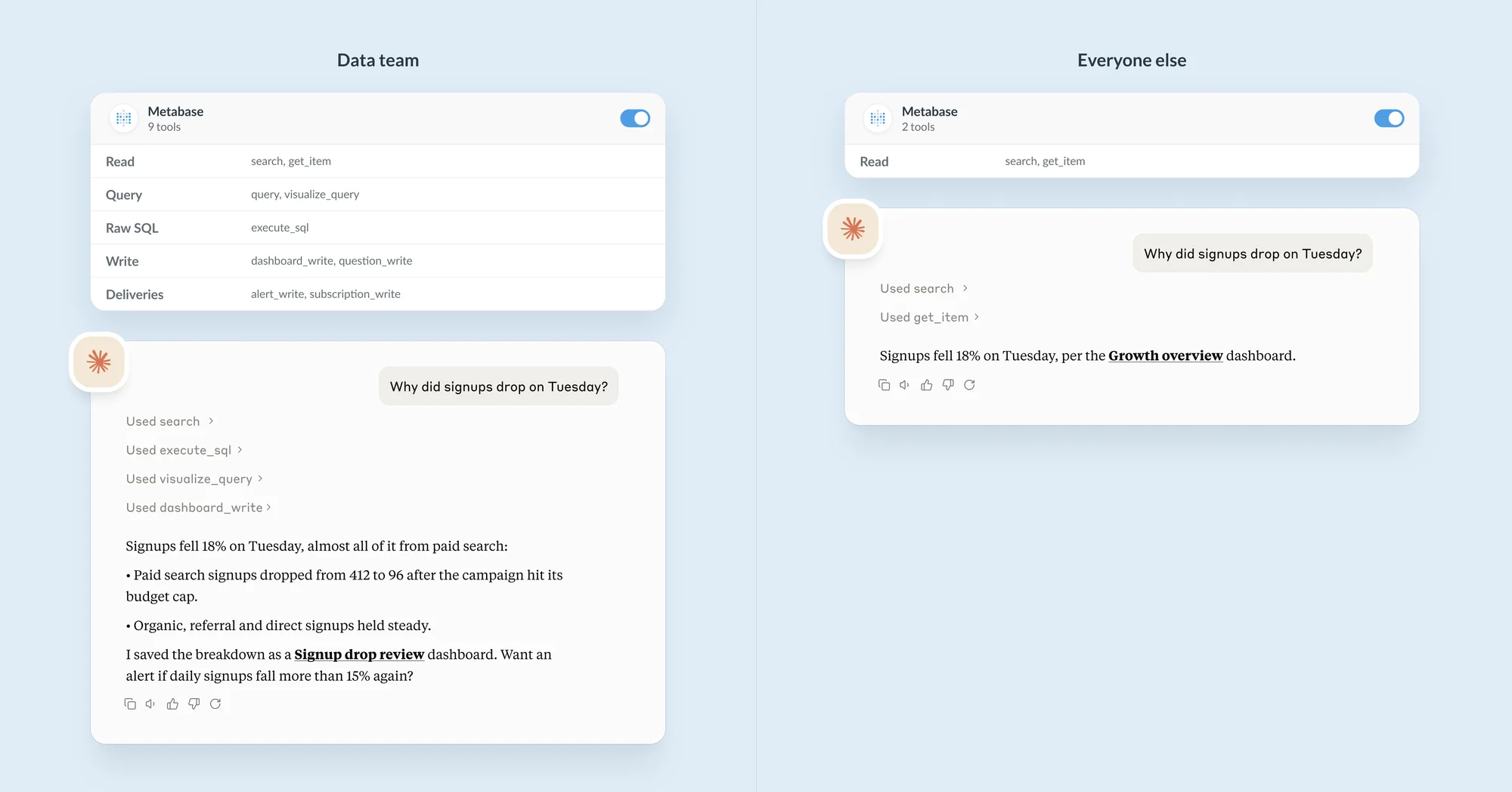
Admins can now give selective access to MCP tools per user group. Find it in Admin → AI → Usage controls → MCP tools access. Try for free with Pro.
Explore your data with AI-generated Research
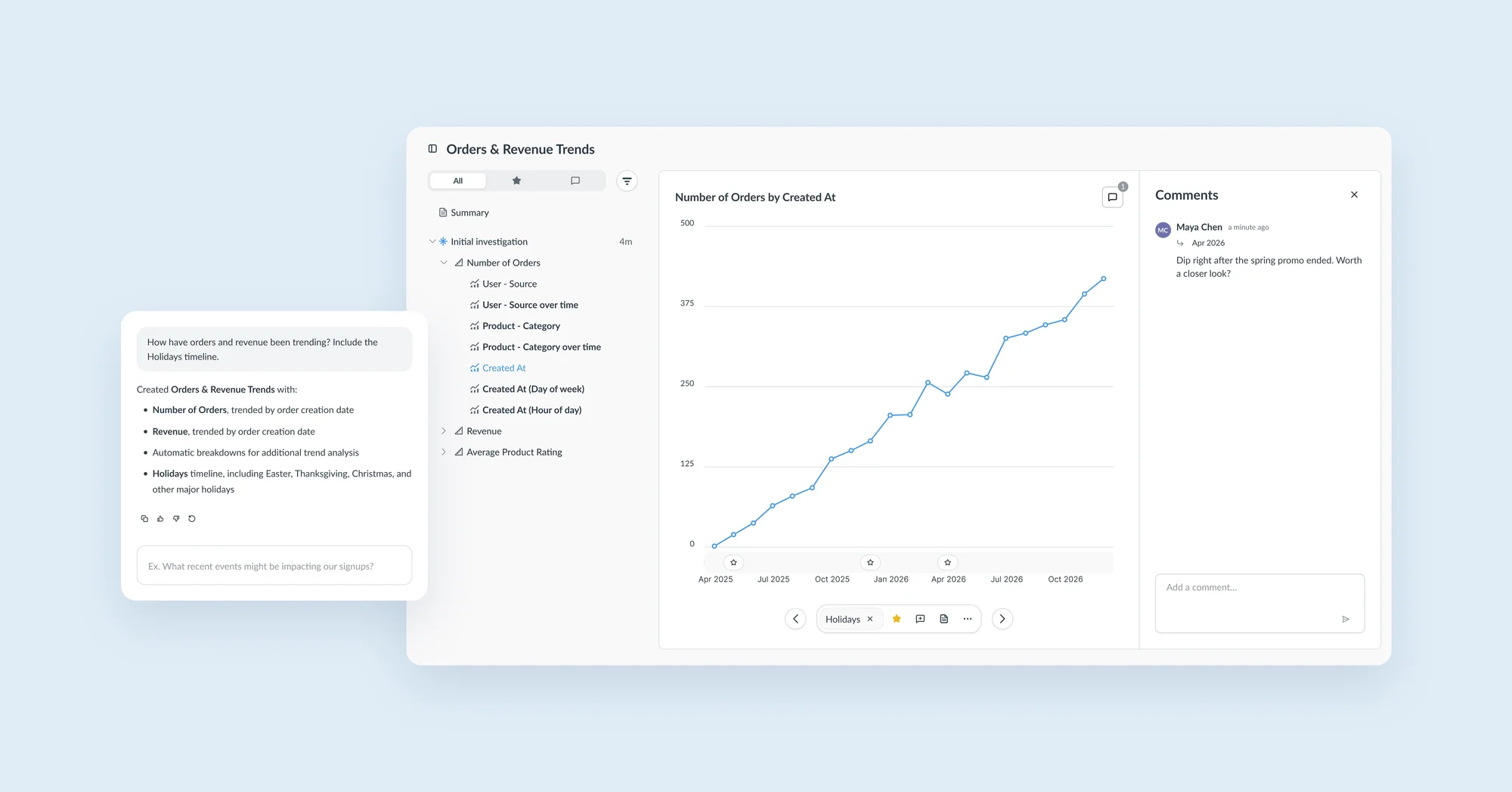
AI gets a new mode: Research. Ask a broad question about your data, and Metabot will pick metrics, dimensions and timelines, run every metric broken out by every relevant dimension, and rank results by how interesting they are. Star, comment, or curate results in a summary to share. Research is available in every plan, including open source.
To try: New → AI Exploration → Research → prompt: “what drove revenue last quarter?”
Metabot can answer with a result, not just charts
Ask Metabot “What’s our ARR month to date?” and you used to get a chart. Now you get the answer: “$107bn” (👀 good for you, btw). Metabot runs the query with your permissions, and reads the results. Available on all plans, including open source.
For admins: this is on by default (it can be turned off in AI settings). Metabot runs queries with each person’s own permissions, and the rows it reads go only to the AI provider you’ve connected. Self-hosting Metabase? Run Metabot on a model you host yourself, served with vLLM or Ollama (new in v65), and the data it reads never leaves your servers.
Try the beta: Build data pipelines with an agentic data engineer
Be among the first to try our AI data engineer we’ve affectionately nicknamed Robot Data Engineer. Go from raw data to transformed tables, a defined semantic layer, right through to data apps, dashboards, and analytics. Early users are shaping what ships next.
To try, run:
Dashboards
Add events on dashboards for more contextual time series data
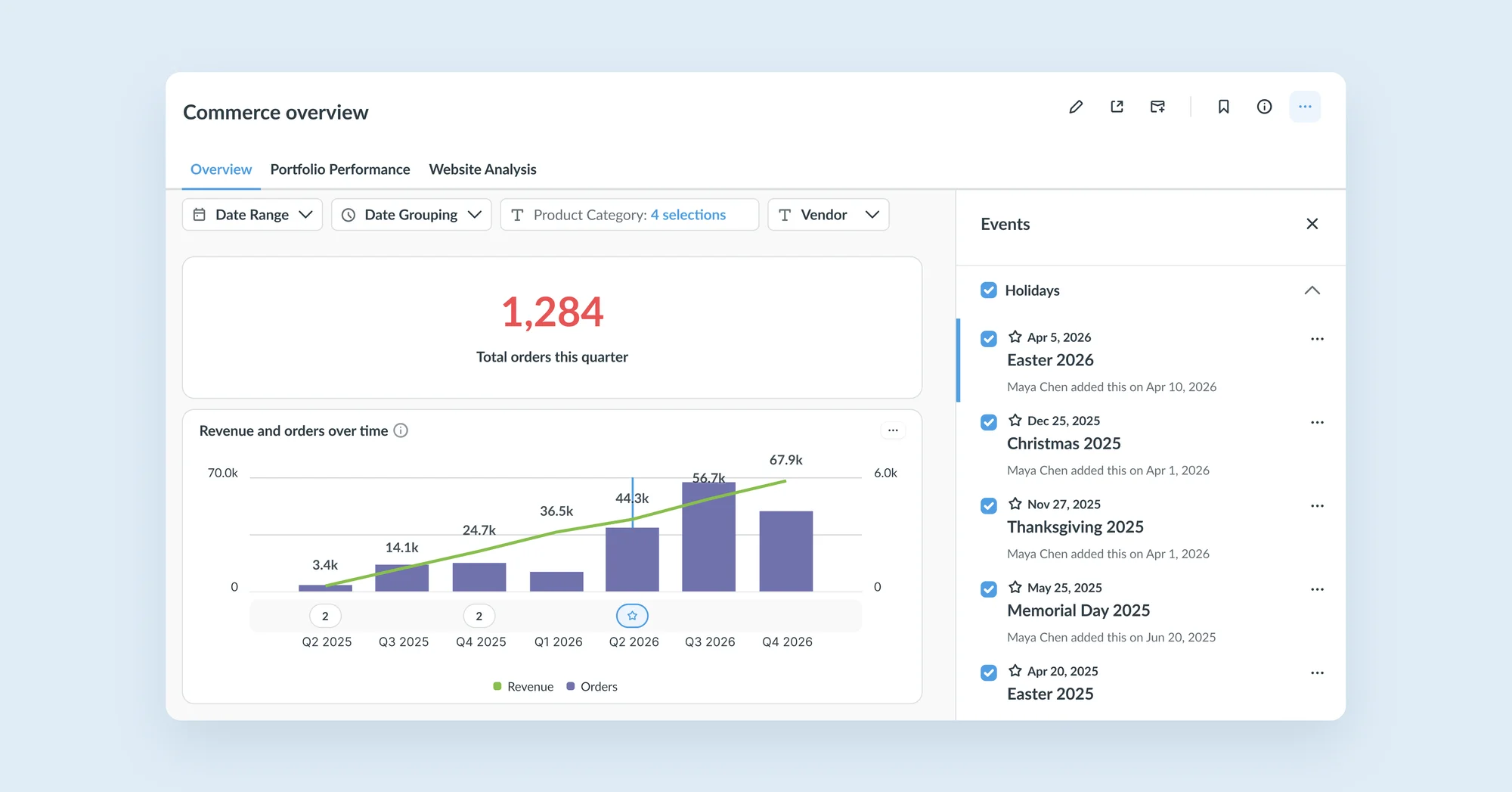
The context behind a spike or a dip (like product launches, outages, campaigns) now shows up where people actually look at time series. Questions now save which timelines and events are turned on, and events show up wherever the dashboard goes: public links, guest embeds, modular embeds, and full app embedding. Available on all plans, including open source.
Data Studio and governance
Dashboards in the Library
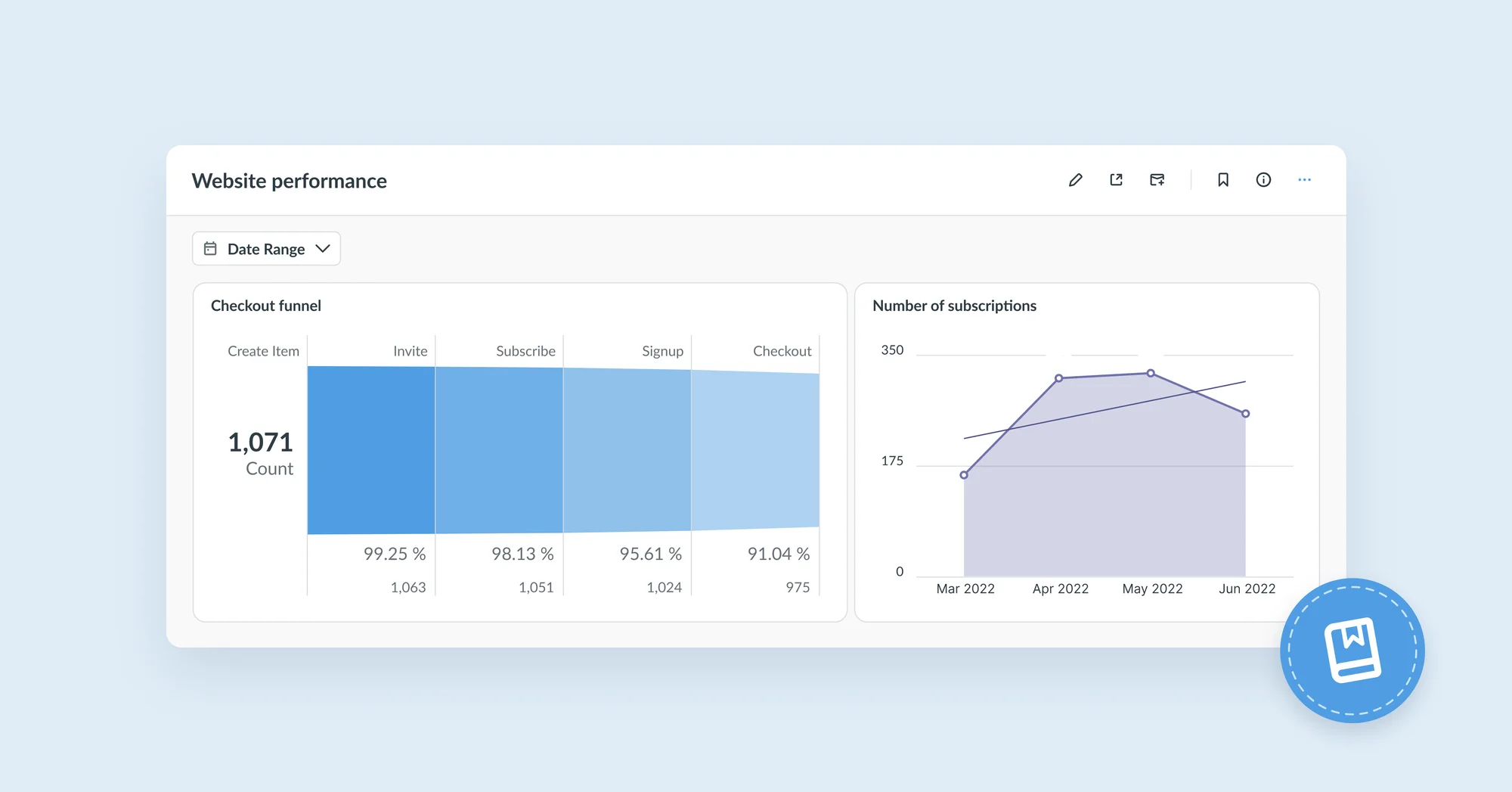
Dashboards can now be added to the Library alongside published tables and metrics, so people know which ones to trust. Dashboards show up in the Library section of the main sidebar, and curators can manage them in Data Studio → Library → Dashboards. Try for free with Pro.
Keep your Metabase tidy with content diagnostics
Remember when your Metabase was fresh and new, the only thing it was full of was possibility? Instances pile up unused, duplicate, and slow content with no single place to find it. Now admins can see what needs attention and clear it in bulk. Content diagnostics can be found in Monitor. Try for free with Pro.
Test your transforms
Give a transform fixed input rows, then check the output: either it matches exact rows, or a check query returns nothing. Tests run in temporary tables and roll back, and they sync to Git with your transforms. Agents can write the tests, edit the transform, and check their own work. Try for free with Pro.
To try: Write a test with the CLI or your coding agent, then run it from Data Studio → Transforms → your transform → “Tests.”
Admin and security
Review and revoke sessions
Admins can now proactively end sessions on demand, e.g. after a password rotation, offboarding an employee, or a suspected compromise. Admins can manage sessions in Monitor → Logs and activity → Session management: search and filter a user’s sessions, revoke one session, all of a user’s sessions, or every active session. Try for free with Pro.
Keep track of API key usage
Admins can now see how a key was used, find stale keys, see who calls what, and spot failures. Find API key usage in Monitor → Logs and activity → API key usage.
Redesigned SSO setup
One consistent, guided setup across providers and group mapping that’s harder to get wrong. JWT, SAML, LDAP and OIDC pages share one layout: provider settings, user provisioning, then optional cards. User provisioning and group mapping save immediately. See authentication options.
Fixes: OIDC sign-in no longer wipes a returning user’s groups when no mappings exist, custom OIDC name claims work, and a bad LDAP DN returns a clear error.
Embedded analytics
Embedding hub for all things embedding
One place to set up embedded analytics: Get started, Security, Authentication, Permissions, Tenancy, Appearance, Localization. Find the Embedding hub in the top-right navigation alongside Admin, Data Studio, and Monitor. Modular embedding and guest embeds now share one switch. The React SDK and full-app embedding keep their own.
Who moved my cheese
Breaking changes and FYIs
- Embedding settings merge.
enable-embedding-simpleandenable-embedding-staticare replaced byenable-embedding-modular. Until an admin sets the new toggle, it’s on if either old setting was on, so an upgrade can turn guest embeds back on for anything still published. Startup fails ifMB_ENABLE_EMBEDDING_MODULARis set withMB_ENABLE_EMBEDDING,MB_ENABLE_EMBEDDING_SIMPLEorMB_ENABLE_EMBEDDING_STATIC. Set the new toggle after upgrading and remove the old env vars. - React 18 support ending in the Modular Embedding SDK: support drops in v66. The SDK already supports React 19, so you can upgrade any time. Cloud customers who can’t upgrade in time should contact help@metabase.com.
- Actions: admins only, and off for people with row and column security. Only admins can create actions, and they can’t be used by anyone whose data access is filtered by row and column security.
- See the changelog for all breaking changes.
Big thanks to everyone who contributed
Thanks to everyone who submitted bug reports, feature suggestions, and pull requests. Metabase gets better and better thanks to your efforts.
Hope you enjoy the release. If you want to get into the nitty-gritty, check out our changelog.
Cheers,
The Metabase team
Share this release
See previous releases
All releasesGet started with Metabase
- Free, no-commitment trial
- Easy for everyone—no SQL required
- Up and running in 5 minutes