



Same numbers as everywhere else
Apps read only published tables and Library metrics, through the query builder. Metabase rejects SQL questions, so the app and your dashboards can't disagree. What an app can read and write
Prompt your AI agent for any data app or internal tool. It builds on your semantic layer, permissions, and auth, and lives in Metabase where you can audit usage and dependencies. Full customization, nothing to rebuild.


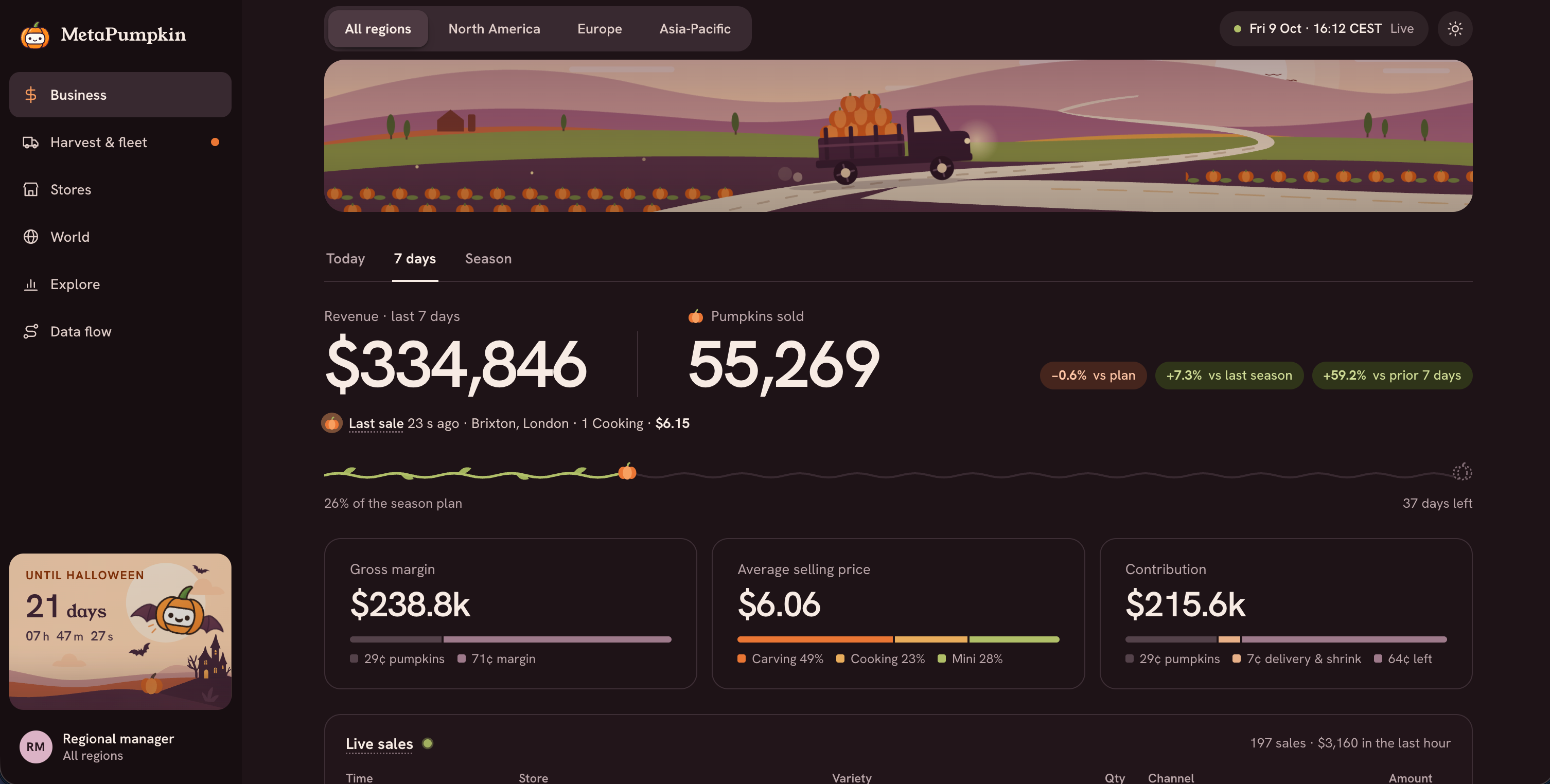
MetaPumpkin is a pumpkin business app that a coding agent built on live data. Every number comes from saved metrics in Metabase, and with row and column security, each regional manager sees only their own region. Your team can build apps for the work they do every day:
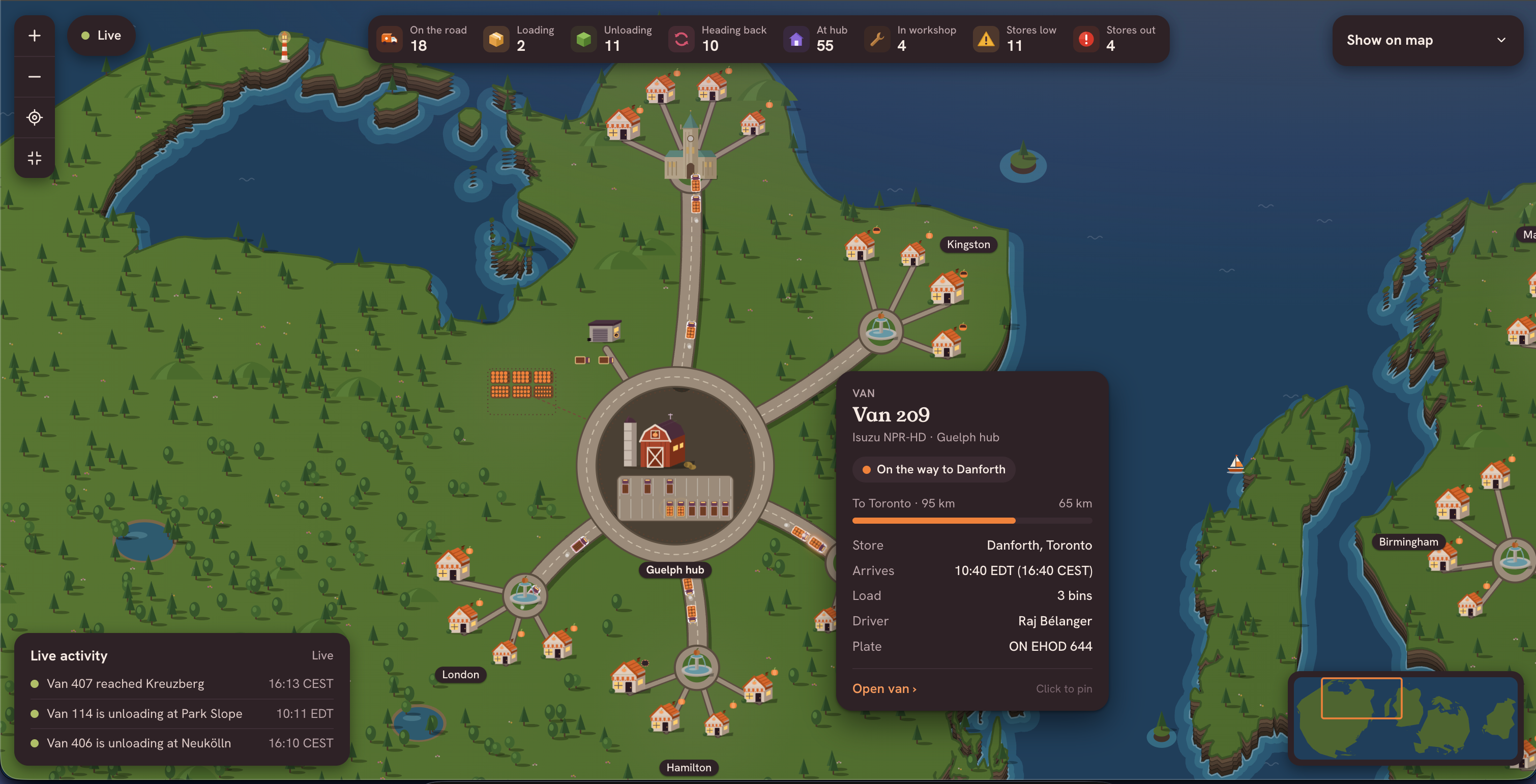
Live maps, feeds, forms, and approval queues: if your agent can build it in React, it can be a data app. MetaPumpkin's fleet view tracks every delivery van on live data, and every count on it comes from the same metrics your dashboards use.
The constraints that matter are what an app builds with, who can do what, and where it lives. Metabase takes care of all three, so you don't have to build them yourself.
Apps read only published tables and Library metrics, through the query builder. Metabase rejects SQL questions, so the app and your dashboards can't disagree. What an app can read and write
Apps write data back to your database only through the actions in their own collection, like updating or adding a row. Only admins can edit those actions, so you can see exactly what an app is allowed to change.
People sign in with Metabase and see only what their groups allow. The same app shows each person their own slice.
Apps live at /apps/<name> behind your Metabase sign-in, and requests to other sites are blocked unless you allow them.
Each app is code in your Remote Sync repository, so you can review the diff and any admin can pick it up. How to build and ship an app
Data app analytics logs every question and action an app runs, and the dependency graph shows which apps use a metric before you change it. Manage data apps
Vibe-coded apps rebuild the data connection, sign-in, and permissions, and write their own SQL. Data apps start from what you already have in Metabase.
| Feature | Vibe-coded app on the API | Metabase Data Apps |
|---|---|---|
| Data connection | Rebuilt for every app | Already there |
| Sign-in | Yours to build | Metabase sign-in |
| Permissions | API keys in the browser | Metabase permissions |
| Numbers match your metrics | Hand-rolled SQL | Published metrics |
| Hosting | Yours to set up | Inside your Metabase |
| Audit and lineage | None | Monitor and dependency graph |
The whole thing happens in the coding agent you already use, like Claude Code or Codex.
Install the Metabase CLI, log it in to your development Metabase as an admin, and install the CLI's skill for your agent.
Start your agent in your Remote Sync repository and describe the app. For example: "Create a Metabase data app that lets people look up product info, and add, edit, or remove products."
Your agent saves the app's questions and actions, writes the code, and runs a local preview so you can try the app as it takes shape.
Push the app to production like the rest of your synced content, then choose which groups can open it.
