





In this release
Metabase 63
Treemaps, two-factor authentication, PDF attachments in dashboard subscriptions, more LLM providers for Metabot, one-step dashboard sharing, and more.

The Metabase Team
· Jul 21, 2026 · 5 min readv63 adds a new visualization type, ships 2FA, brings PDF attachments to subscriptions, and lets Metabot work with the AI provider you already pay for.
- If you’re hosted on Metabase Cloud, we are rolling v63 this week. If you’d like to get it sooner, just let us know. Email help@metabase.com and we’ll upgrade you.
- If you’re self-hosting Metabase, you (or your admin) can follow the docs on how to upgrade.
Treemaps charts are here
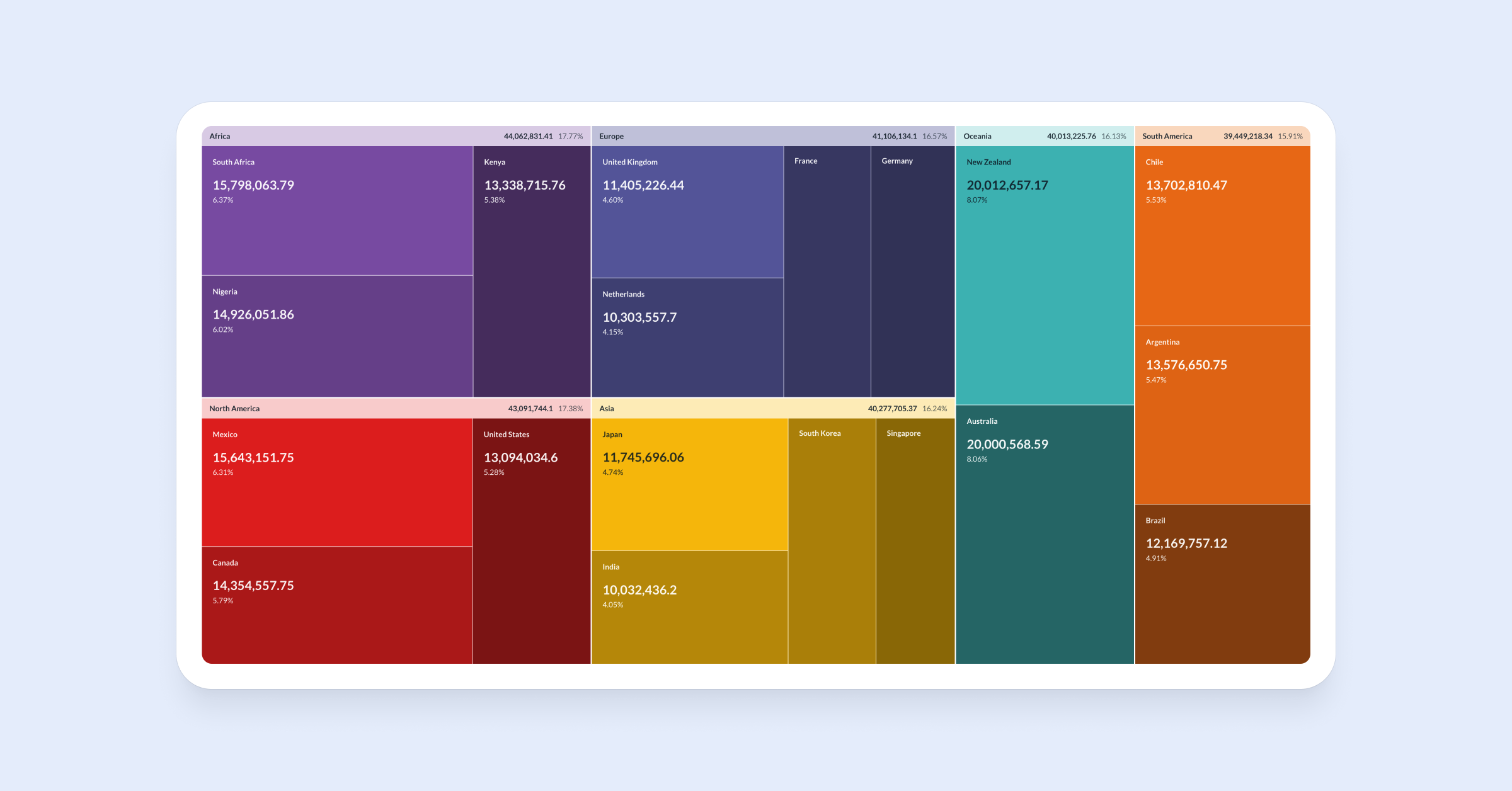
By popular demand, we branched out to support treemap charts (c’mon, that was low-hanging fruit) for data with categories nested inside categories, like revenue by region by product, spend by department by category, traffic by source by campaign — each box sized by value, all in a single view.
To try: Open any question with hierarchical data and pick Treemap from the viz list.
Side note: If you’re itching for a viz type that’s not natively supported in Metabase, don’t forget we shipped custom viz, released in v62 so you can build and bring whichever chart type you need in Metabase yourself (plus more news on that below.)
Two-factor authentication
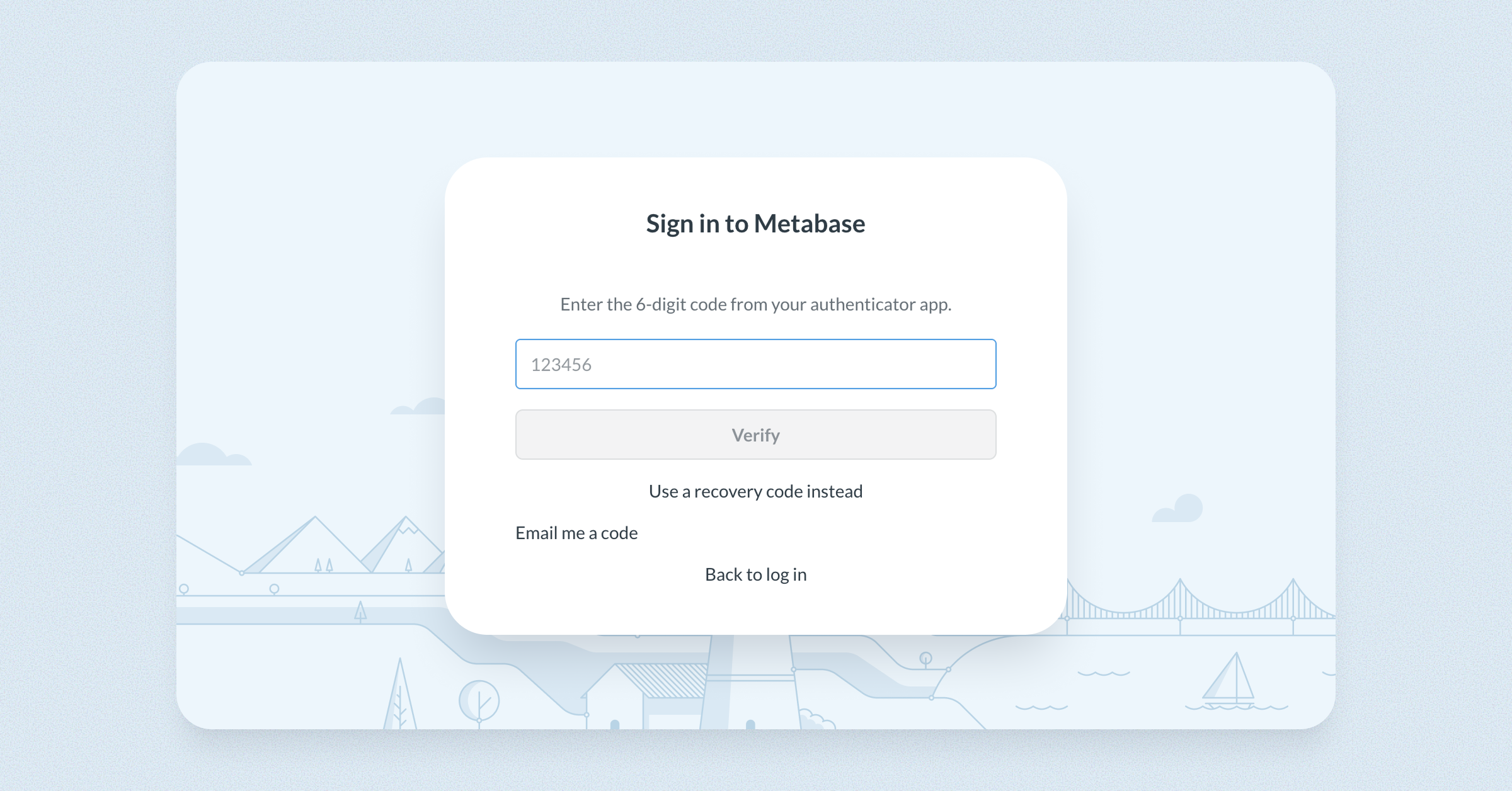
You can now turn on 2FA for your Metabase instance, so people signing in with a password get an extra layer of account security. A long-standing request, now built in.
Admins turn on 2FA from the Authentication section of Admin settings, and each person sets up their own 2FA from the Security tab in their account settings. Available on Pro and Enterprise plans.
Dashboard subscriptions get PDF attachments
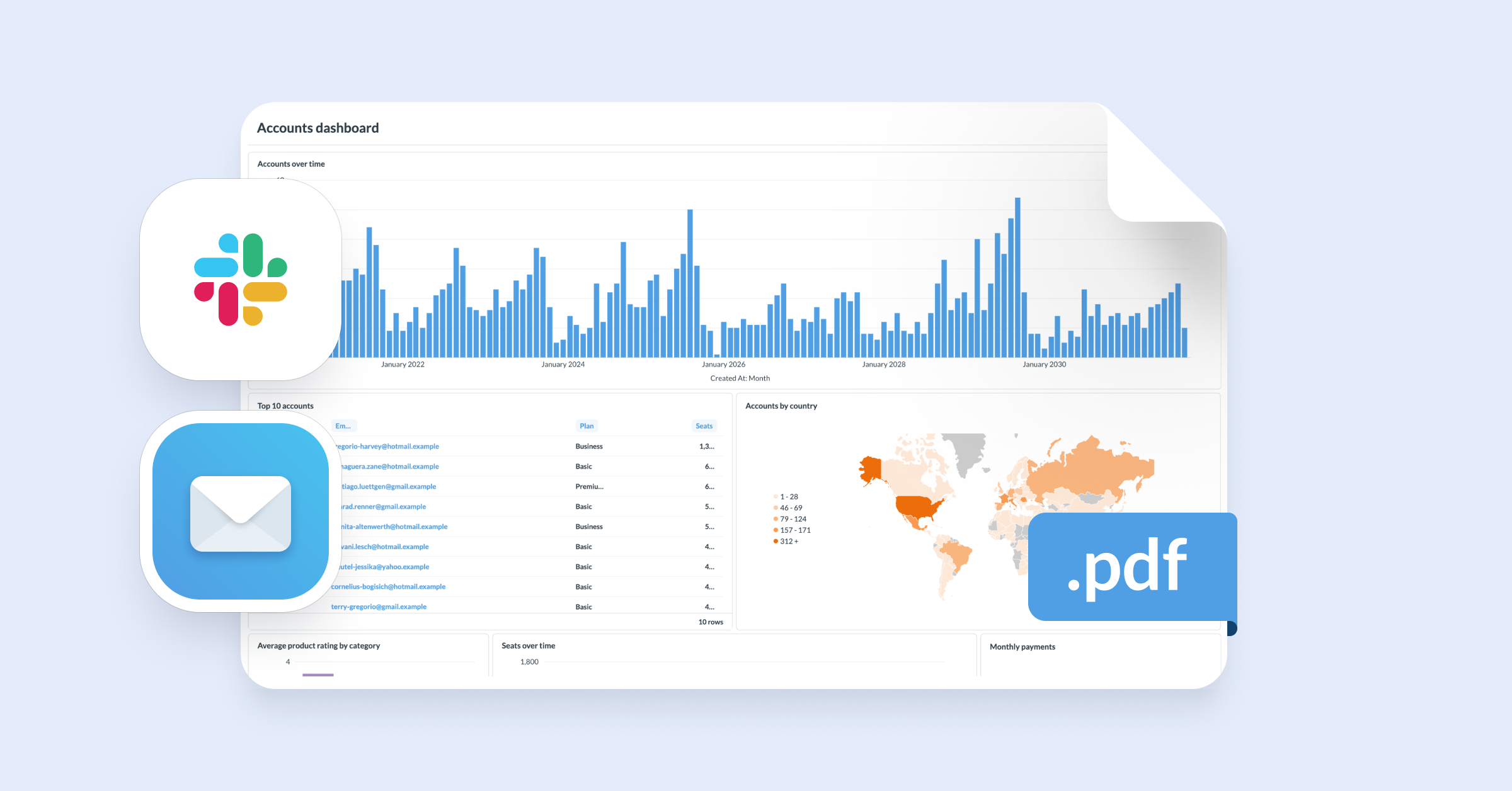
Another much-requested feature — subscriptions can now attach a PDF of the dashboard. Plus, we also have a PDF export API endpoint.
We’ve also extended static rendering to Map, Detail, and Pivot table visualizations so more of your dashboard shows up correctly in email and Slack.
To try: Open a dashboard → go to Subscriptions → toggle Attach a PDF of the dashboard → send yourself a test.
Support for more LLM providers to power Metabot
You can now power Metabot with models from:
- Anthropic
- OpenAI (new)
- AWS Bedrock (new)
- Microsoft Azure (new)
Whether it’s AWS discounts, an enterprise agreement, or data-residency requirements, you can back AI features in Metabase with the provider that fits your setup.
And this works on open source, too. Bring your own key and get AI-powered analytics in Metabase without paying us a dime for tokens. Or let us handle everything with Metabase’s AI service (Cloud only).
Set it up: Admin → AI → AI settings → Connect to a provider, then pick your provider and add your credentials.
Invite someone to your Metabase from a dashboard or question
A new invite button added in the Share menu on dashboards and questions makes it easier for admins to add people to their Metabase and assign them to groups. The invitee is linked directly into the shared item after signup.
To try: Admins can open a dashboard or question → Share → Invite someone to view this → enter an email, pick a group → invite.
CSV uploads now work with Snowflake
You can now upload CSVs directly to Snowflake. Uploaded files land as tables in the database and schema your admin picks, wrapped in a model you can query like anything else.
To try: An admin turns uploads on in Admin → Settings → Uploads and picks the Snowflake database and schema to store them in. From there, anyone with upload permissions can add a CSV.
Embedded Analytics
Embed custom visualizations with the Modular Embedding SDK
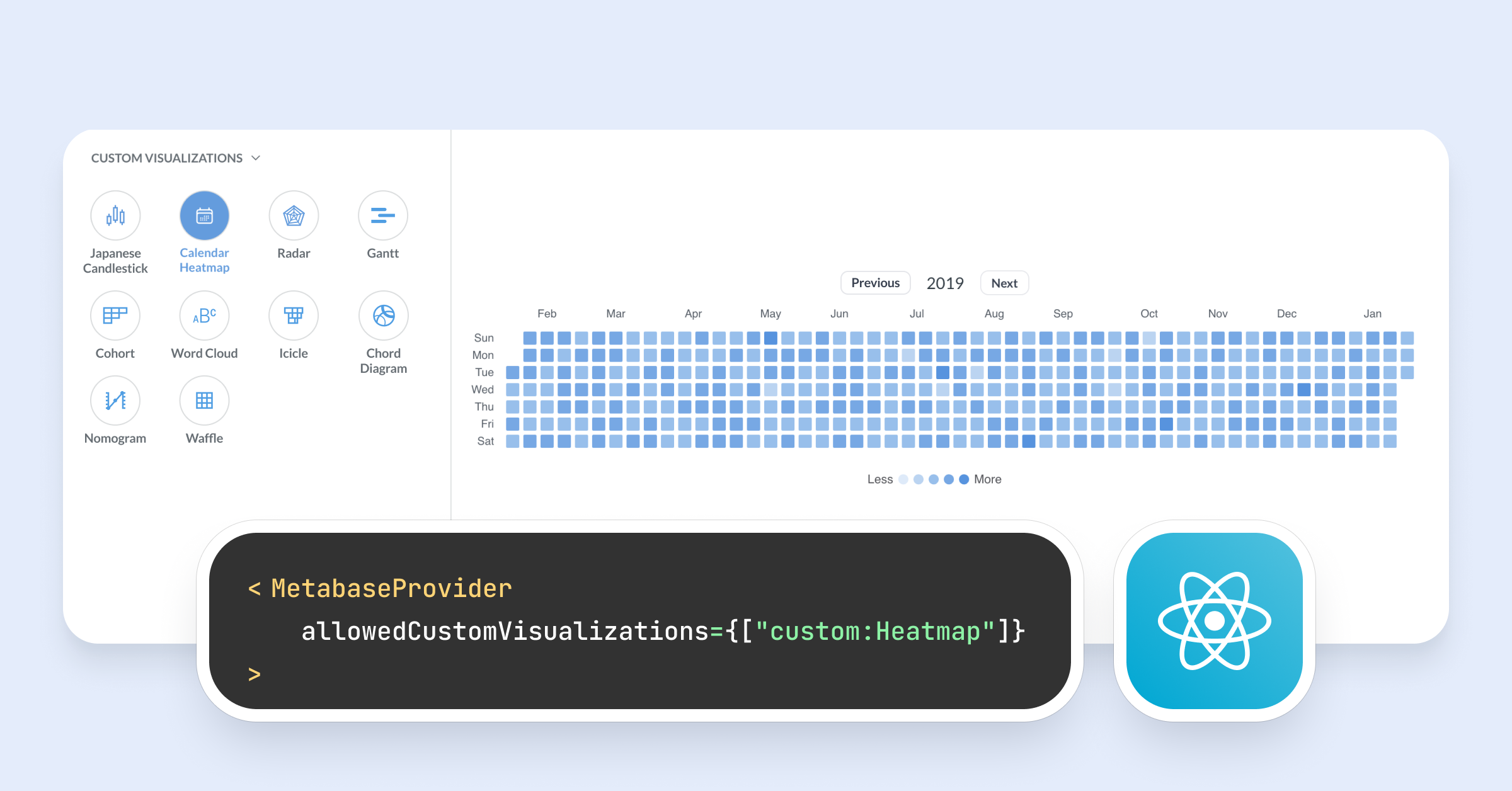
Released in the core app in v62, custom visualizations are now supported by the SDK. If your team has built a chart type that Metabase doesn’t ship, write it in React and render it natively in your Metabase and in your embeds.
To try: enable custom viz in the core app, then pass allowedCustomVisualizations={["custom:YourVizName"]} to MetabaseProvider.
Security and governance
Audit logs for MCP authorizations
See who is connecting AI tools to your Metabase’s MCP server. Logs include client name, user email, approval status, callback URL, and date, filterable by event type. Dynamic Client Registration is now off by default, and only turns on when you enable MCP.
Find the new Authorizations tab under Admin → AI settings → MCP.
We moved the Sample Database to SQLite
We moved the sample database that ships with all Metabase instances off H2 to the battle-tested (and more secure) SQLite database. Existing sample databases will migrate automatically. The sample database is now read-only, so CSV uploads, actions, and data editing aren’t available on it.
FYI
Long Term Support (LTS) policy
We’re making version support predictable. Every Metabase version now gets at least 60 days of support after it’s released, and twice a year we’ll designate a Long Term Support (LTS) release, supported for at least 14 months. If you’re self-hosting and you’d rather not chase every release, an LTS version is a safe place to sit for over a year.
We’ll also publish an end-of-life date for each version within 30 days of its release, so you always know how long you’re supported and can plan upgrades on your own schedule.
More cool stuff
Big thanks to everyone who contributed
Thanks to everyone who submitted bug reports, feature suggestions, and pull requests. Metabase gets better and better thanks to your efforts.
Hope you enjoy the release. If you want to get into the nitty-gritty, check out our changelog.
Cheers,
The Metabase team
Share this release
See previous releases
All releasesGet started with Metabase
- Free, no-commitment trial
- Easy for everyone—no SQL required
- Up and running in 5 minutes