
MCP server
Connect your AI agents to Metabase, not straight to your database
Bring Claude, ChatGPT, Cursor or any MCP client. Through the Metabase MCP server, your agent signs in as a person, sees only what they can see, finds the metrics you've already defined, and uses only the tools you allow.
The MCP server is on every plan, including open source. Tool access by group and MCP analytics are on Pro and Enterprise.
Why are signups down in 2026? Add a weekly view to the dashboard.
- Used published metric: Signups
- Used visualize_query
- Used dashboard_write
Signups are down across every source in 2026, so it’s broad, not one channel:
• Organic still leads with 62, down from 92.
• Google is next with 30, down from 50.
I added a weekly view to the New accounts by source dashboard. Want an alert if it drops?
Build dashboards your team can use, without leaving the chat
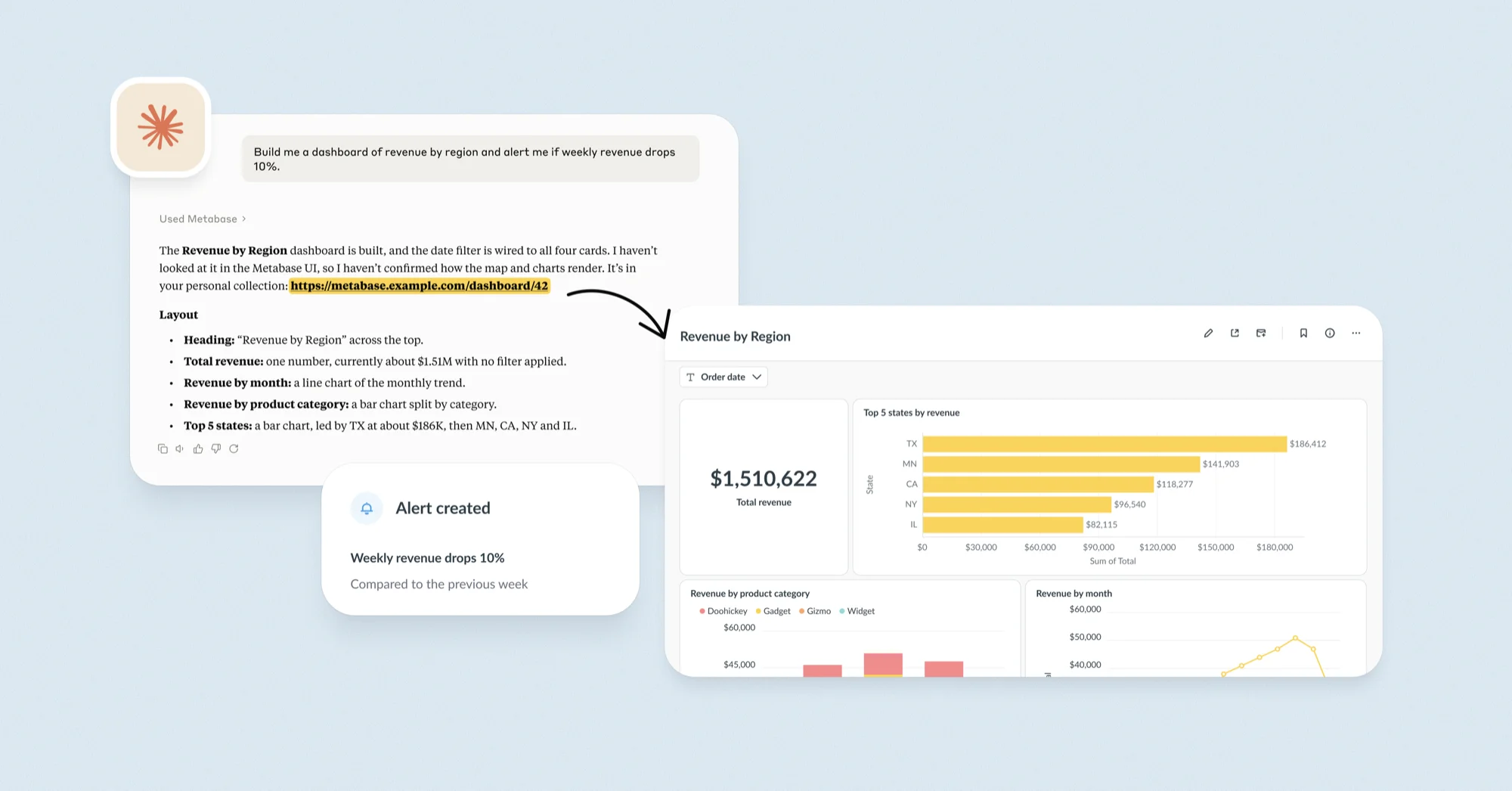
An answer in a chat ends with the chat. Through the MCP server, your agent saves what it builds to Metabase, where your team can use it and it keeps running on live data.
-
Questions and dashboards
Saved in Metabase with their filters wired up, on live data your team can open and check.
-
Documents
An analysis written up as a Metabase Document, with its charts in it.
-
Alerts and subscriptions
Alerts on the numbers you watch, and dashboards sent by email or Slack on a schedule.
Ask and explore without leaving the chat
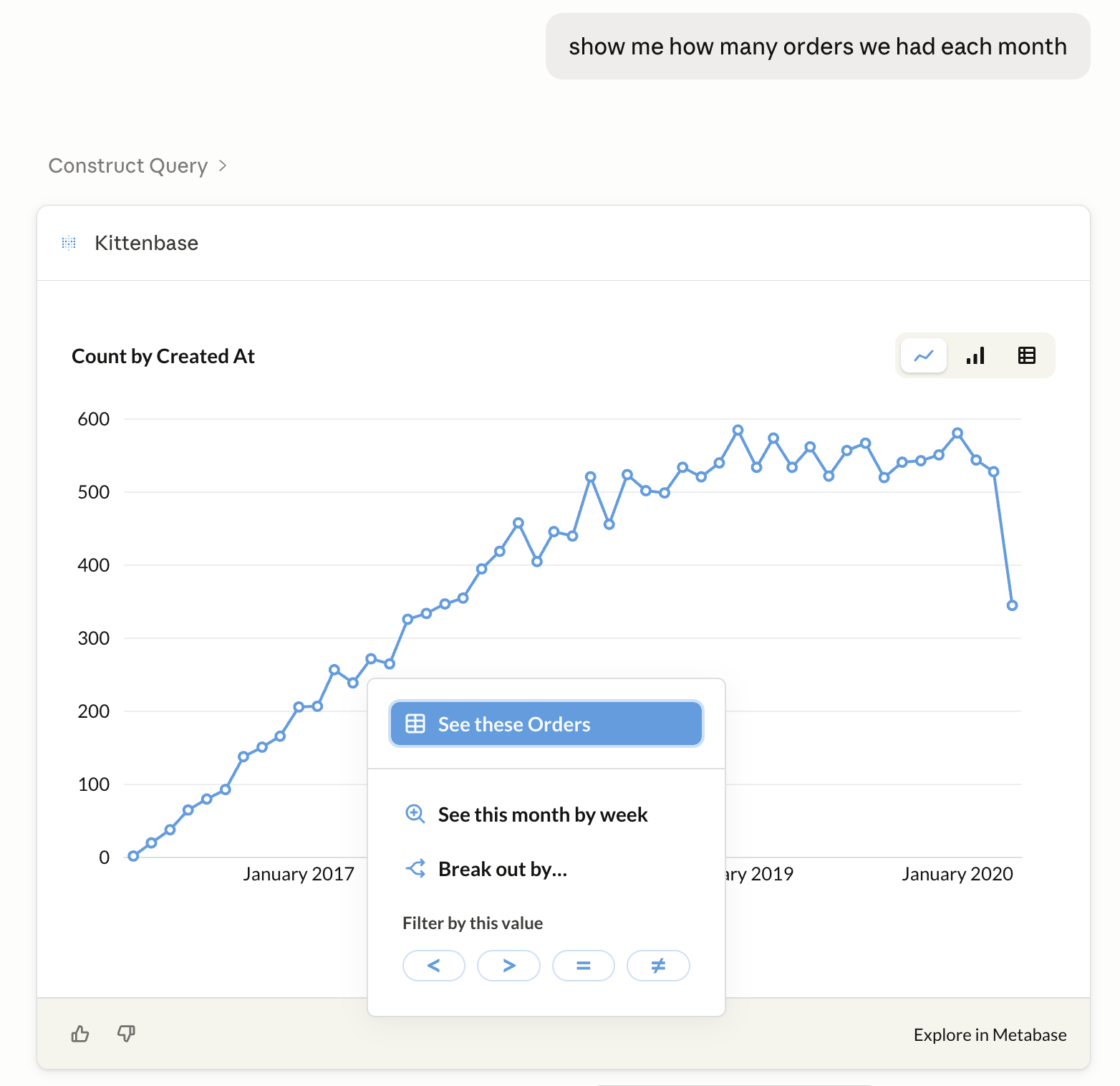
In Claude, ChatGPT, Cursor or VS Code, your agent searches your content, queries your data and answers with Metabase charts you can click into.
-
 Charts in the chat. Switch chart types, change the time range, or drill through to the rows behind a number.
- The query behind it. Open any answer in Metabase to check its query and keep exploring.
- Agents in your own product. If you embed Metabase with JWT sign-in, an AI agent you build into your app can use the MCP server as whoever is signed in to your app, with that person's permissions. On Pro and Enterprise. See MCP with embedding.
Agents get the access you give them, and no more
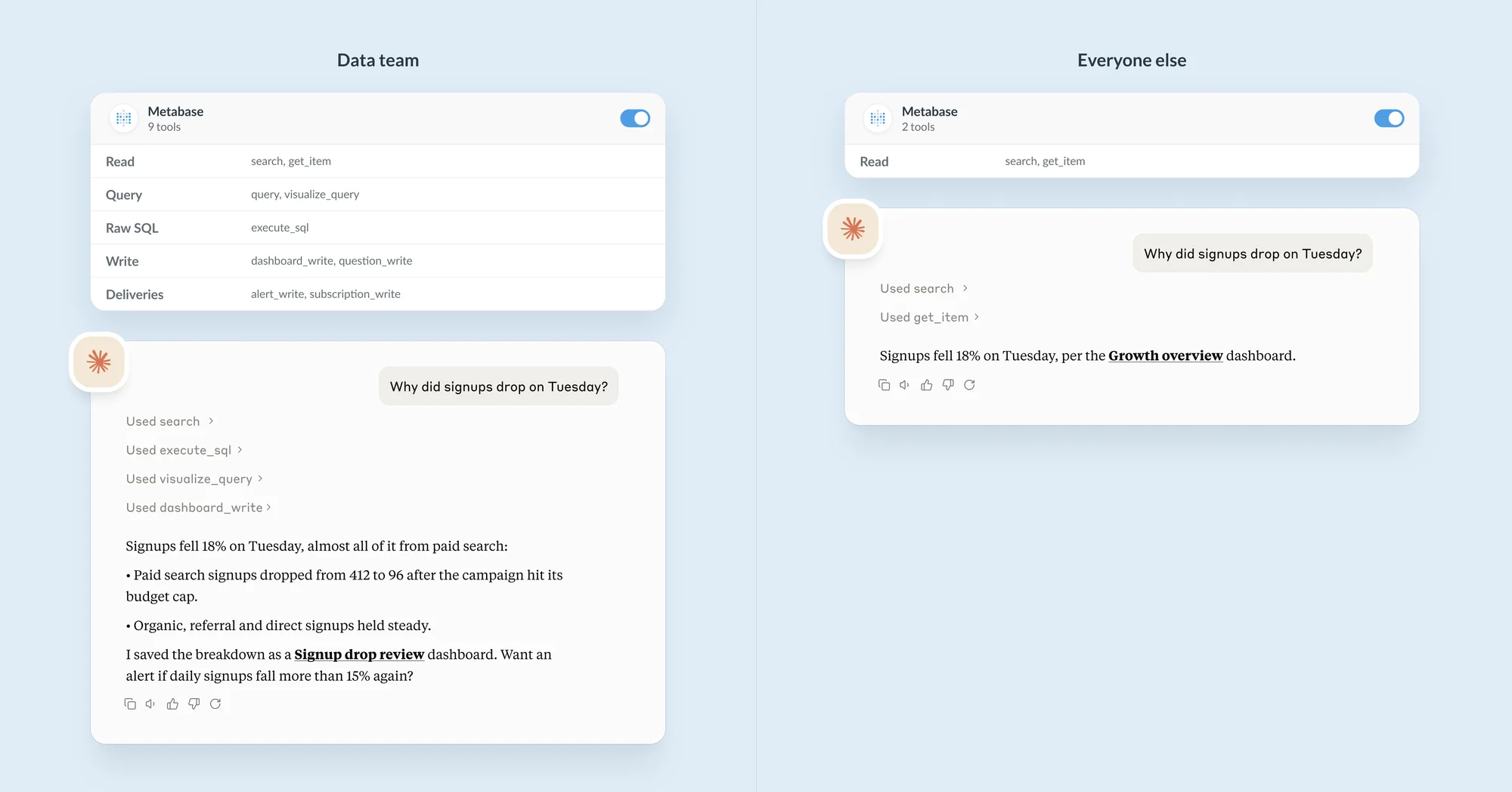
An agent signs in as a person, so it inherits that person's permissions. On Pro and Enterprise, you also decide which MCP tools each group's agents can use.
- Each person's permissions. Data permissions, collection permissions and row and column security apply to their agent too. No tool reaches data the person couldn't see in Metabase.
- Tools by group. Let analysts run SQL and build dashboards from Claude, and give everyone else tools that only search and read. Blocked tools never show up in the client.
- Scopes people approve. The sign-in screen lists what a client wants, like running queries or writing content, and a scope never adds access the person doesn't have.
- An off switch. Turn off the MCP server, or every AI feature at once, without disconnecting your provider.
See what every agent did
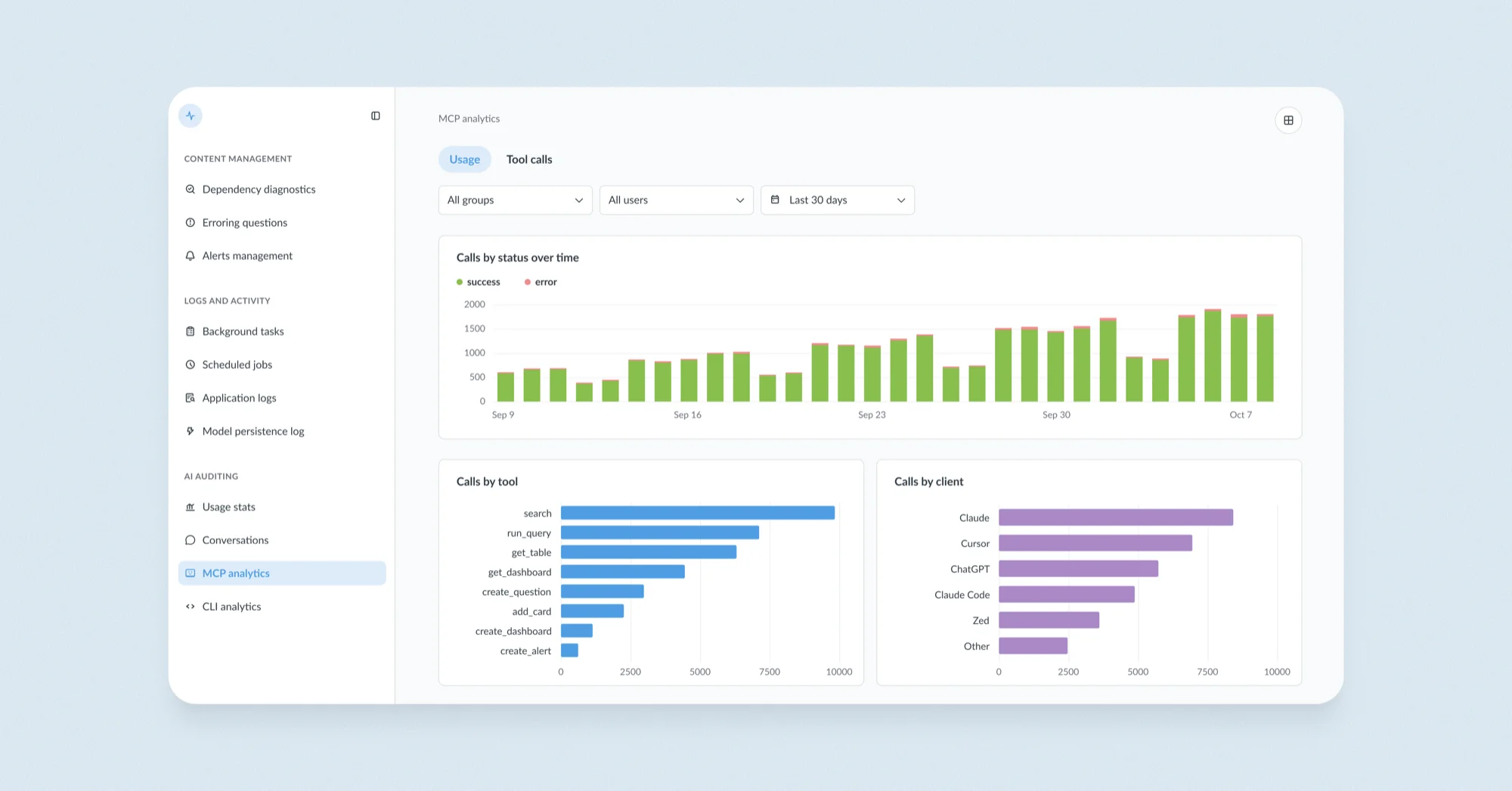
On Pro and Enterprise, MCP analytics in Monitor shows who uses which clients and tools, and logs every call.
- Usage. Calls over time by client, tool and person, plus errors by type.
- Tool calls. Every call with its tool, client, person, status and how long it took.
- Authorizations. Every client that registered, and who approved or denied its access.
Your data deserves better than vibes
Point an agent straight at your database and it signs in with a shared credential, guesses at your metrics from raw tables, and leaves nothing but query logs behind. Through the Metabase MCP server, it works as a person, inside the rules you've already set.
| Agent on your database |  Metabase MCP server | |
|---|---|---|
| Sign-in | One shared database credential | |
| Permissions | Every table the credential can read | |
| Tools | Whatever the database user can do | |
| Numbers match your metrics | Joins and definitions guessed from the schema | |
| Audit | Database query logs, if you kept them |
Row and column security, tool access by group and MCP analytics are on Pro and Enterprise plans. The MCP server is on every plan.
Frequently asked questions
Does Metabase have an MCP server? 
/api/metabase-mcp URL. Tool access by group and MCP analytics are on Pro and Enterprise. See the MCP server docs. Why use Metabase's MCP server instead of connecting an agent straight to our database?
Can we keep agents on our verified metrics?
Which AI clients work with the Metabase MCP server?
How do we connect Claude to Metabase?
/api/metabase-mcp), and sign in to your Metabase. In Claude Code, add it with claude mcp add, then sign in from /mcp. The MCP server has to be on in Admin > AI > MCP. See connecting Claude Code.