
RDE is a command-line tool that lets a coding agent such as Claude Code or OpenCode build your Metabase dashboards, metrics, and transforms. The agent works in a development Metabase on your machine, and nothing reaches your production Metabase until you’ve reviewed and approved it. You describe what you want and review the result, and the agent does the setup, the SQL, and the checking.
Pick the guide that matches your situation:
- I don’t have Metabase yet. Set up RDE with a new Metabase
- I have Metabase, but it isn’t connected to Git. Set up RDE and connect your Metabase to Git
- I have Metabase and it syncs with Git. Set up RDE for a Git-synced Metabase
To learn more about RDE before you start, keep reading.
What is RDE?
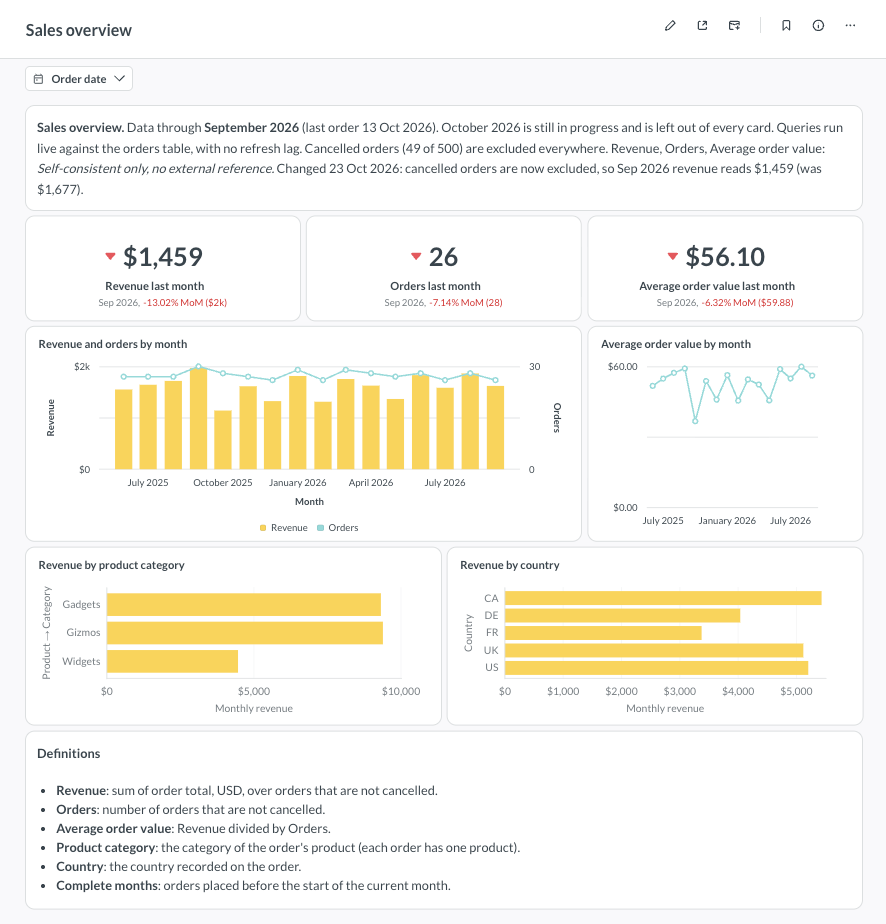
Building a semantic layer takes time. You have to clean raw tables, define metrics everyone agrees on, and assemble dashboards that use them. RDE hands that work to a coding agent. You describe what you need in plain language, and the agent profiles your data, proposes the business rules, builds the transforms, metrics, and dashboards, and checks its numbers against yours. It stops to ask whenever a decision is yours to make.
The result is a semantic layer and dashboards built quickly, defined in files you can review, and delivered to production through a pull request like any other change.
How RDE works
- RDE starts a development Metabase on your machine and connects it to your data warehouse. You work there without touching production.
- Your agent builds the semantic layer. RDE gives the agent skills for Metabase, so it knows how to profile tables, define metrics, build dashboards, and verify the numbers.
- You preview and iterate. Open the development Metabase, look at what the agent built, and ask for changes.
- You ship it through Git. When you’re happy, the agent exports its work to a branch. You review the pull request, merge it, and your production Metabase picks up the change.
Before you start
You need:
- A Metabase Pro or Enterprise plan, which includes Git sync.
- A data warehouse your machine can reach.
- A Mac or Linux machine with Node.js 20.19 or later, Git, and either Docker or Java 21 or later.
- A coding agent such as OpenCode, Claude Code, Codex, Cursor, Gemini CLI, or Windsurf.