



In this release
Metabase 60
We made AI open source, the official MCP server, Metabot in Slack, split panel charts, metrics explorer, and more.

The Metabase Team
· Apr 16, 2026 · 6 min readWhen your team wants to ask AI about data, they find a way, with or without you. That means data leaving your environment, AI guessing at aggregations, and no way to see how it got there. Now that AI features are available across all plans, no one has to go outside Metabase to get answers. Works inside your data stack, governed by your semantic layer.
- If you’re self-hosting Metabase, you (or your admin) can follow the docs on how to upgrade.
This release is one piece of a bigger story. We wrote a post that connects the dots across everything we've shipped this year.
AI just went open source
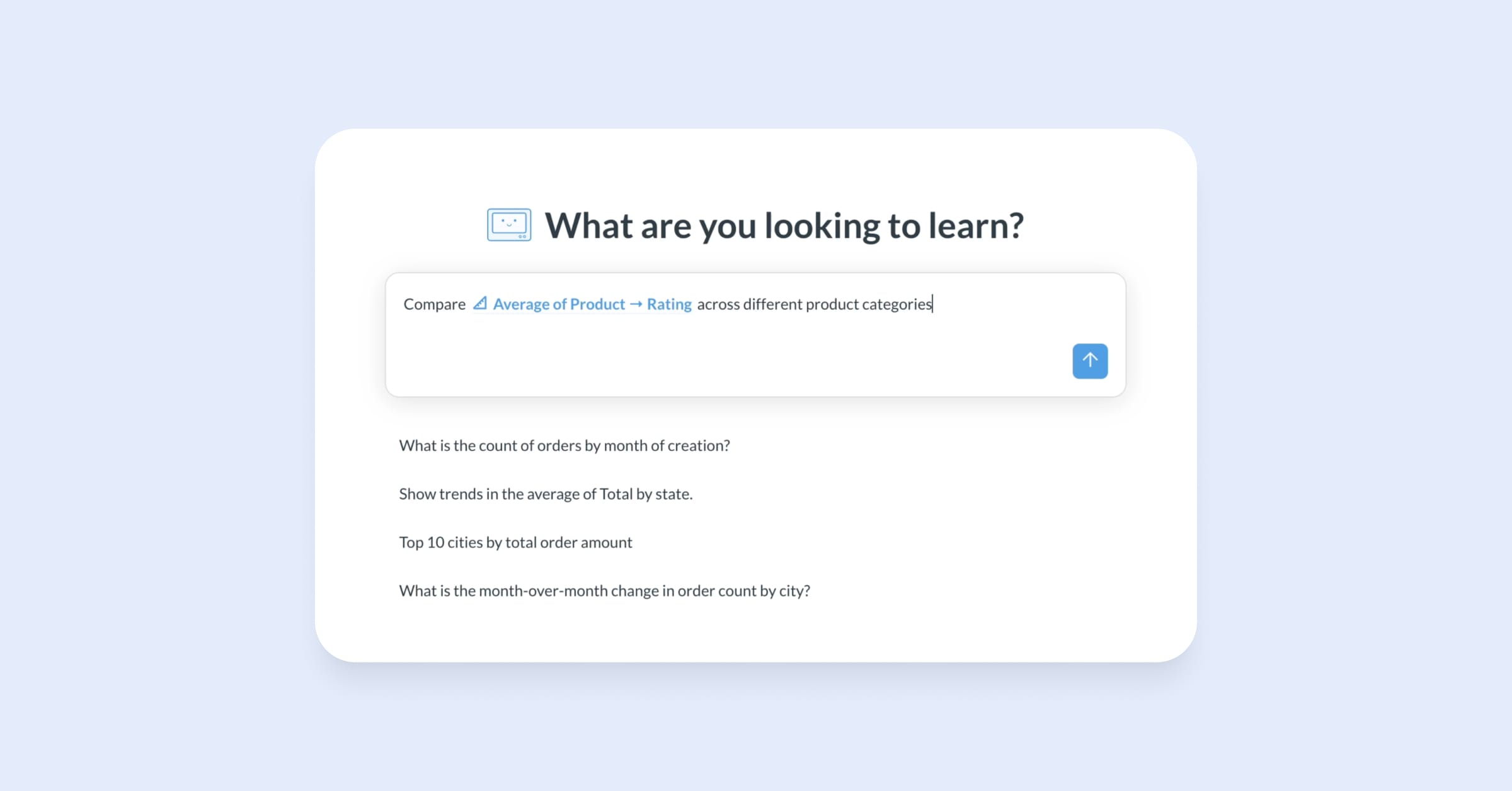
Natural language querying.
SQL query and transform code generation and debugging.
Agent API for building your own AI agent integrations.
One-click auto-generated summaries on charts.
Agentic workflows for managing content and embedded analytics.
Every team should have AI-powered data exploration that’s grounded in the trustworthy data layer your data team has already built — curated datasets, reusable metrics, defined segments, consistent measures. Your data team stays at the helm.
The official Metabase MCP server
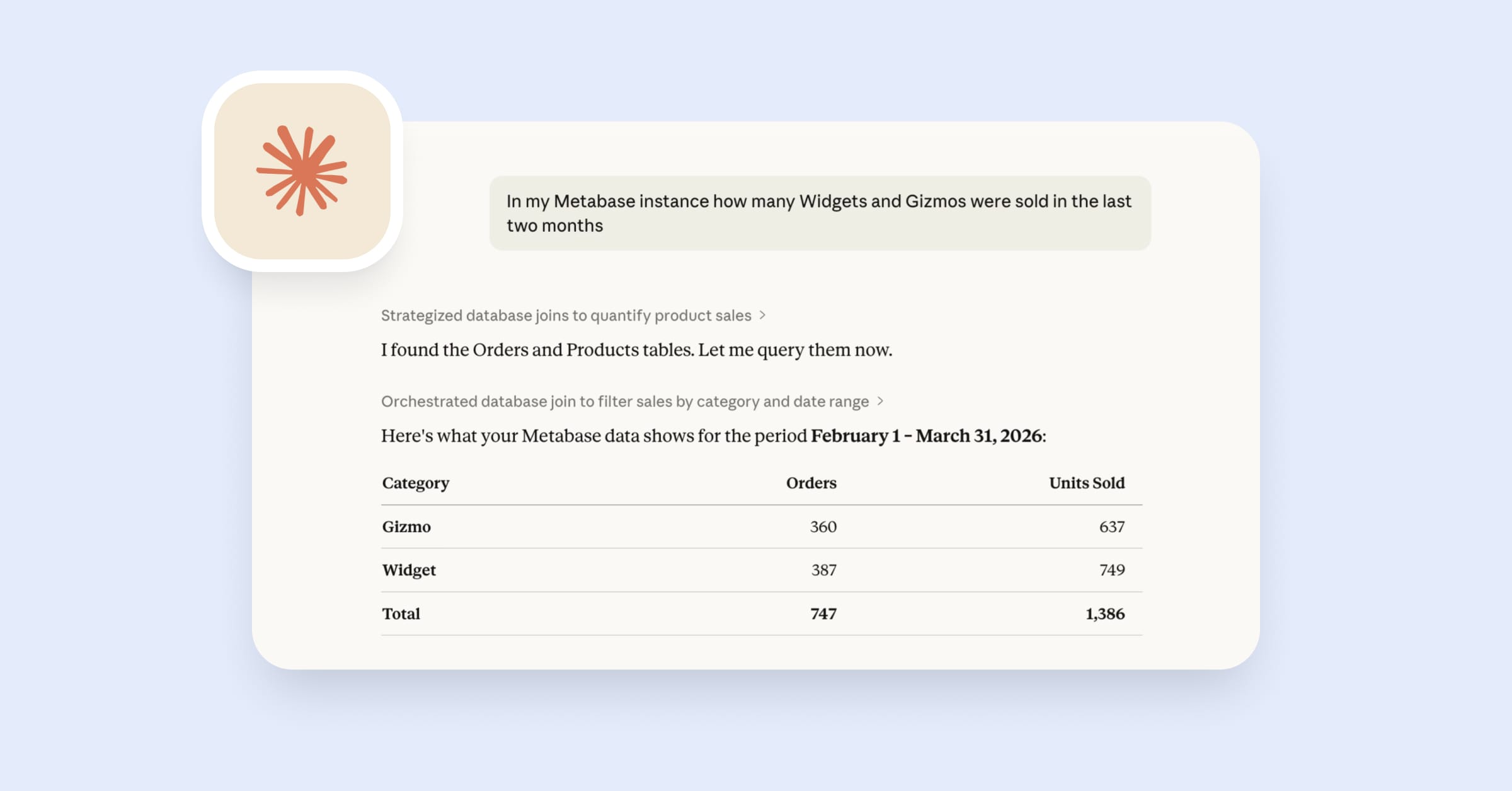
Connect to the MCP server with Claude, ChatGPT, Cursor, VS Code, and other MCP-clients. You get the same permissions and access as in Metabase.
Bring your own key to power AI features, self-hosted or cloud
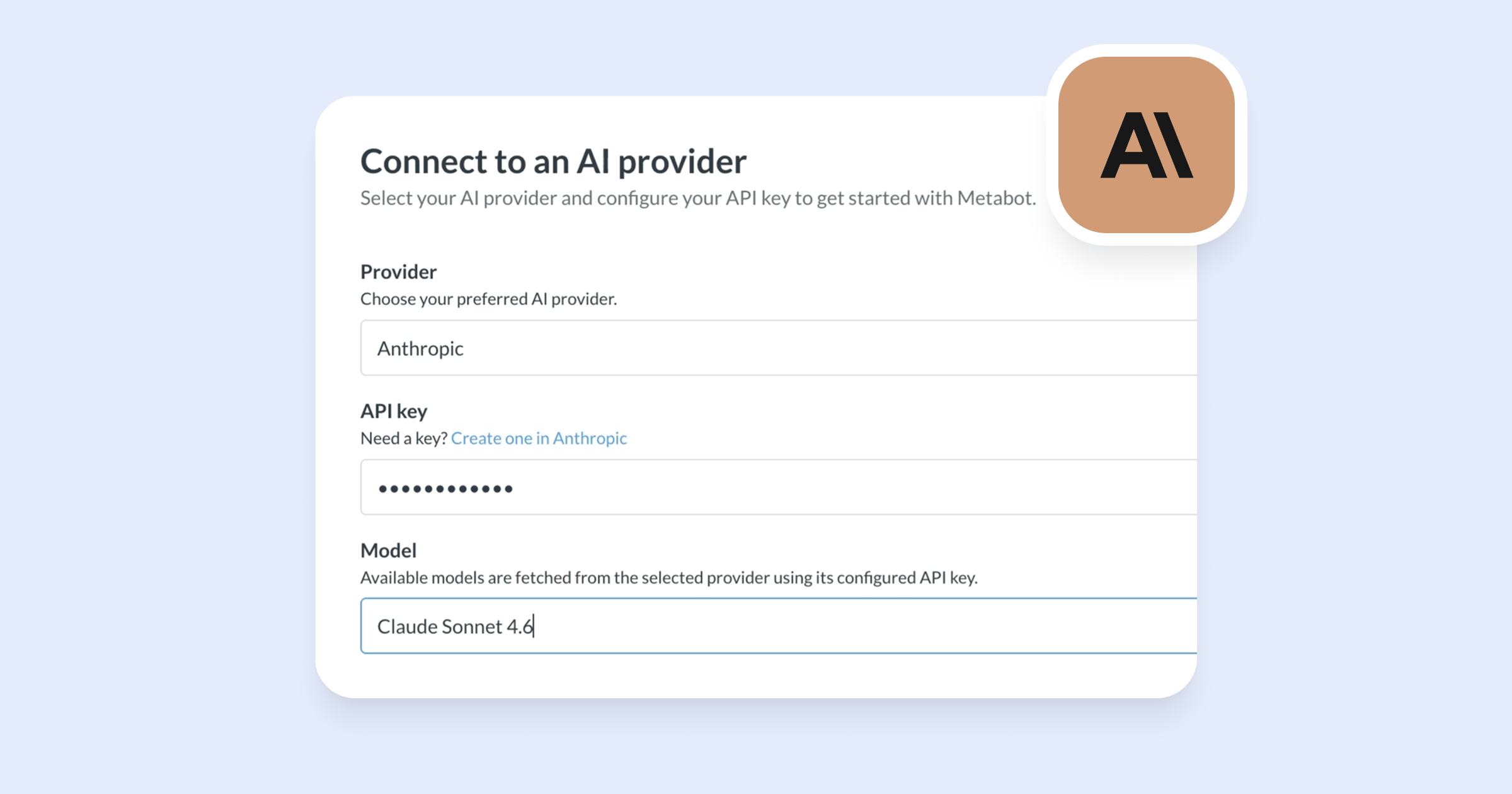
Plug your Anthropic key into Metabase, choose your model, and pay only for the tokens you use. You can use our default model with Metabase Cloud.
Chat with Metabot in Slack
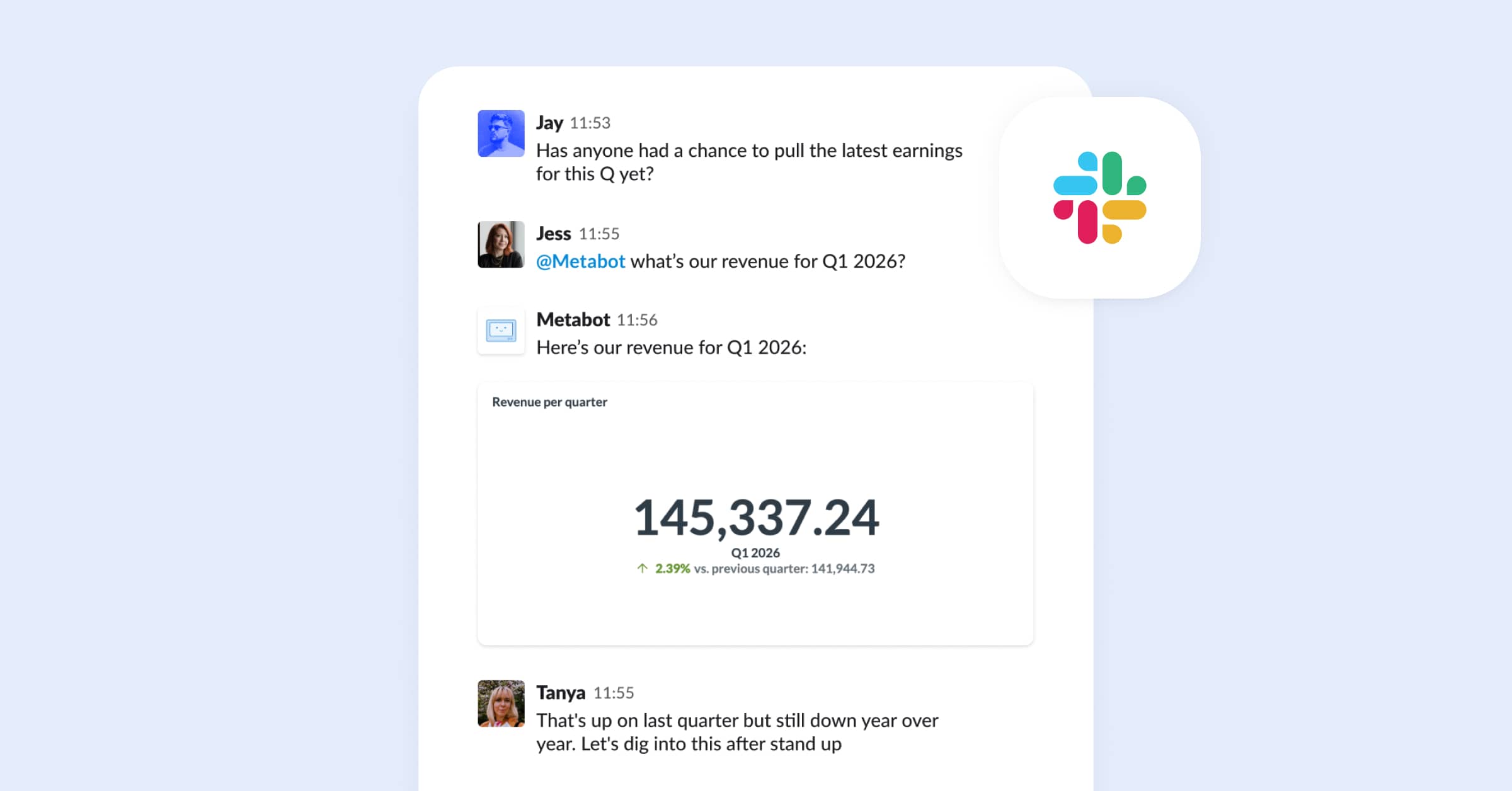
Ask questions. Set up alerts where you want them to go. And upload CSVs via Metabot in Slack and start asking questions about your CSV data straight away, or later. Connect your account and get the same permissions and access you have in Metabase.
Semantic search that looks beyond exact keywords
Finds what you mean, not just what you type. AI-powered semantic search understands that one person searching “revenue” and another searching for “earnings” are probably looking for the same thing, and leads them to the most relevant dashboards, questions, and documents. Available on Pro and Enterprise plans.
AI data exploration is cool, but have you tried building with Metabase and AI agents? We’ve got skills for that
Agent skills for embedding Metabase
We’ve created a set of agent skills that teach LLMs about how to set up embedded analytics: SSO implementation, version upgrades, and migrating from one type of embedding to another.
- Skill: SDK version upgrade
- Skill: Full app → modular embedding
- Skill: Modular embedding → SDK (React)
- Skill: Static → Guest embeds
- Skill: SSO for embeds
File-based content editing in Metabase for AI-powered workflows
Export your Metabase content via the CLI’s serialization command, point an agent at the repo, and go. Generate new questions, edit dashboards, bulk-create metrics, then validate against the schema and sync back in. Exported content files now have readable file names, fields, and references in place of numeric IDs — think monthly_revenue_by_region.yaml vs. card_12847.yaml. Easier to parse for humans and LLMs than a directory full of card_12847.yaml files.
It’s not all AI, we also got new chart types
Split multi-series charts into panels
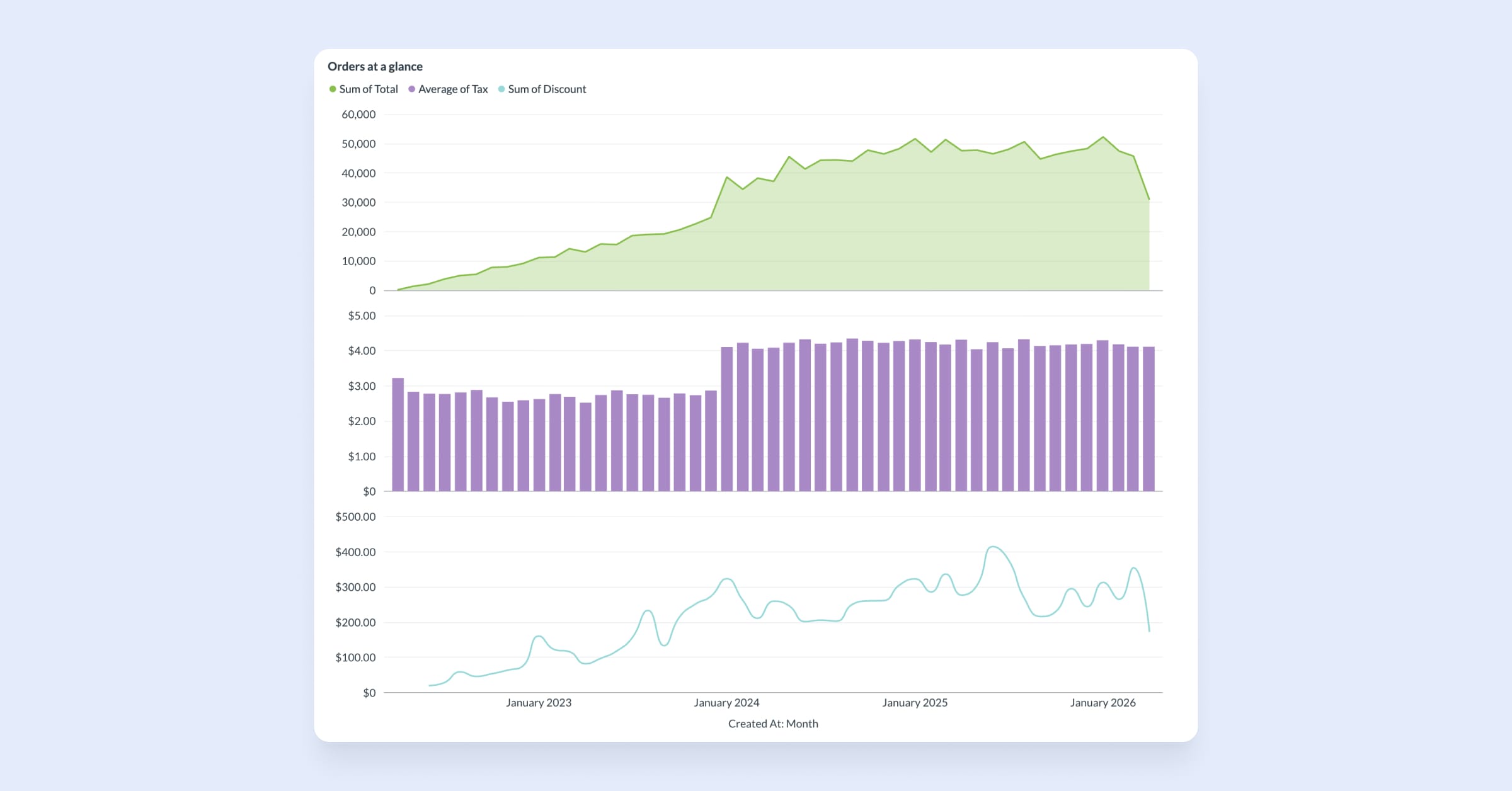
Split multi-series line, area, bar, combo, and scatter charts into stacked panels, each with its own y-axis while sharing the x-axis. When metrics run on incompatible scales, shared axes flatten the smaller values into noise. And when you’re tracking five or six series at once, a single chart becomes a tangle lines noone can read. Split panels gives each metric room to breathe while keeping the context that ties them together.
Supports any x-axis grouping (time, category, etc). Formatting persists across dashboards, documents, and notifications and alerts in email and Slack.
Sticky rows and columns in table viz
Freeze rows and columns in table viz settings so you can scroll large tables without losing context. You can specify the number of columns to freeze; dynamically adjusts based on screen size so frozen columns don’t dominate your whole view. Drag columns between frozen and unfrozen sections.
Data Studio also got better in v60
Swap data sources in bulk without breaking your dashboards
One button to find and replace data sources. When selecting a new data source to sub in, you’ll see a column comparison overview to ensure all fields match before committing to the change, with details on any errors. Available in Data Studio on Pro and Enterprise plans.
Simple migration path to convert models to transforms
Model persistence is on its way out in favor of transforms. Transforms replace models with real database tables: they’re faster, more reliable, and fully integrated. Now you can make the switch with a few button clicks in Data Studio. Everything downstream stays intact.
Metrics home page and Explorer
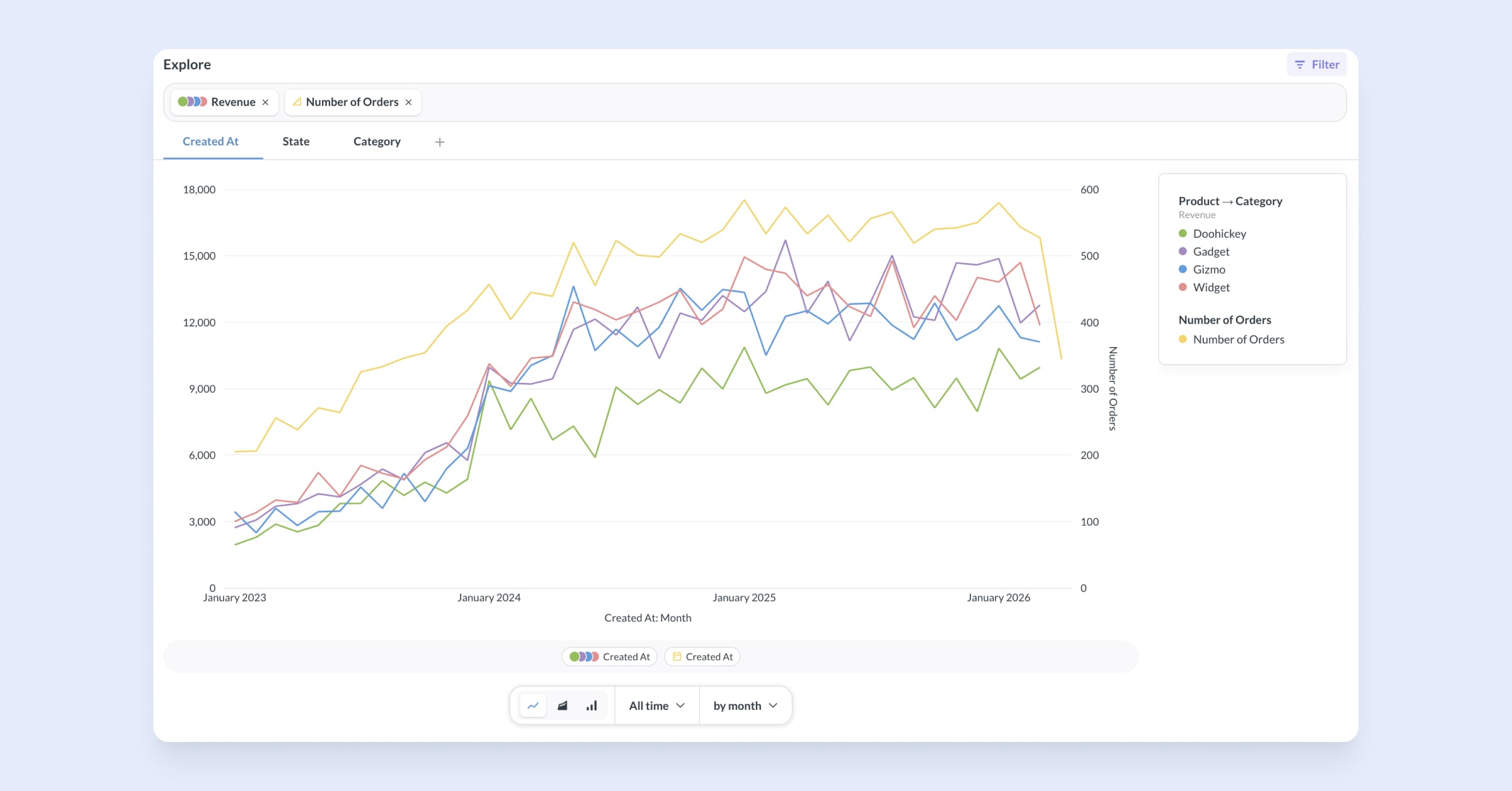
The new Metrics home page gives each metric its own detail view: how it’s defined, where it’s used, and what it depends on.
The Metrics Explorer (which works with measures too) lets you compare multiple metrics side-by-side, automatically surfacing trends across available dimensions. Toggle viz types, change time granularity, add filters, drill into what’s driving a number.
See exactly what a transform did with the Transform Inspector
Get visibility into whether a transform outputs what you expect. Compare data before and after, including column distributions. The transform inspector flags potential issues, like unmatched rows post-join, letting you drill down to diagnose problems. Available with the advanced transforms add-on.
And some other cool stuff in v60
GitLab and Bitbucket support for Remote Sync
Set up a repository to store your analytics content wherever your code lives. Setup for GitLab and Bitbucket works the same as for GitHub: add a repo URL and a personal access token in Admin settings. Available on Pro and Enterprise plans.
Native OIDC (OpenID Connect) SSO support
Compatible with any OIDC-compliant identity provider, like Keycloak, Okta, Auth0, Azure AD, and more. Available on Pro and Enterprise plans.
Faster SDK load times for embedded analytics, zero effort from you
A smoother experience for your customers and people using your in-app analytics, with no code changes needed on your end. Embedded content loads noticeably faster thanks to two performance optimizations made to the SDK:
- JWT auth now runs in parallel with downloading the SDK bundle;
- The SDK bundle is split into multiple smaller chunks for faster parsing.
Update your npm package to v60 to see the difference (try the agent skill). useLegacyMonolithicBundle prop is available as an escape hatch if anything breaks.
Big thanks to everyone who contributed!
Thanks to everyone who submitted bug reports, feature suggestions, and pull requests. Metabase gets better and better thanks to your efforts.
Hope you enjoy the release. If you want to get into the nitty-gritty, check out our changelog. To see what other features we have in the works, see our product roadmap.
Cheers, The Metabase team
Share this release
See previous releases
All releasesGet started with Metabase
- Free, no-commitment trial
- Easy for everyone—no SQL required
- Up and running in 5 minutes