




In this release
Metabase 62
Custom visualizations, charts in your AI client, the Metabase CLI, an interactive Schema Viewer, and programmatic filters for embedded analytics.
 The Metabase Team
· Jun 16, 2026 · 5 min read
The Metabase Team
· Jun 16, 2026 · 5 min read
v62 extends Metabase in every direction: build any chart type you want, get visual answers in your AI client with the MCP, drive your instance from the terminal, and see how your data fits together.
- If you’re hosted on Metabase Cloud, v62 and all its goodness are live now and ready to go. Go build.
- If you’re self-hosting Metabase, you (or your admin) can follow the docs on how to upgrade.
Create any chart type in Metabase with custom visualizations
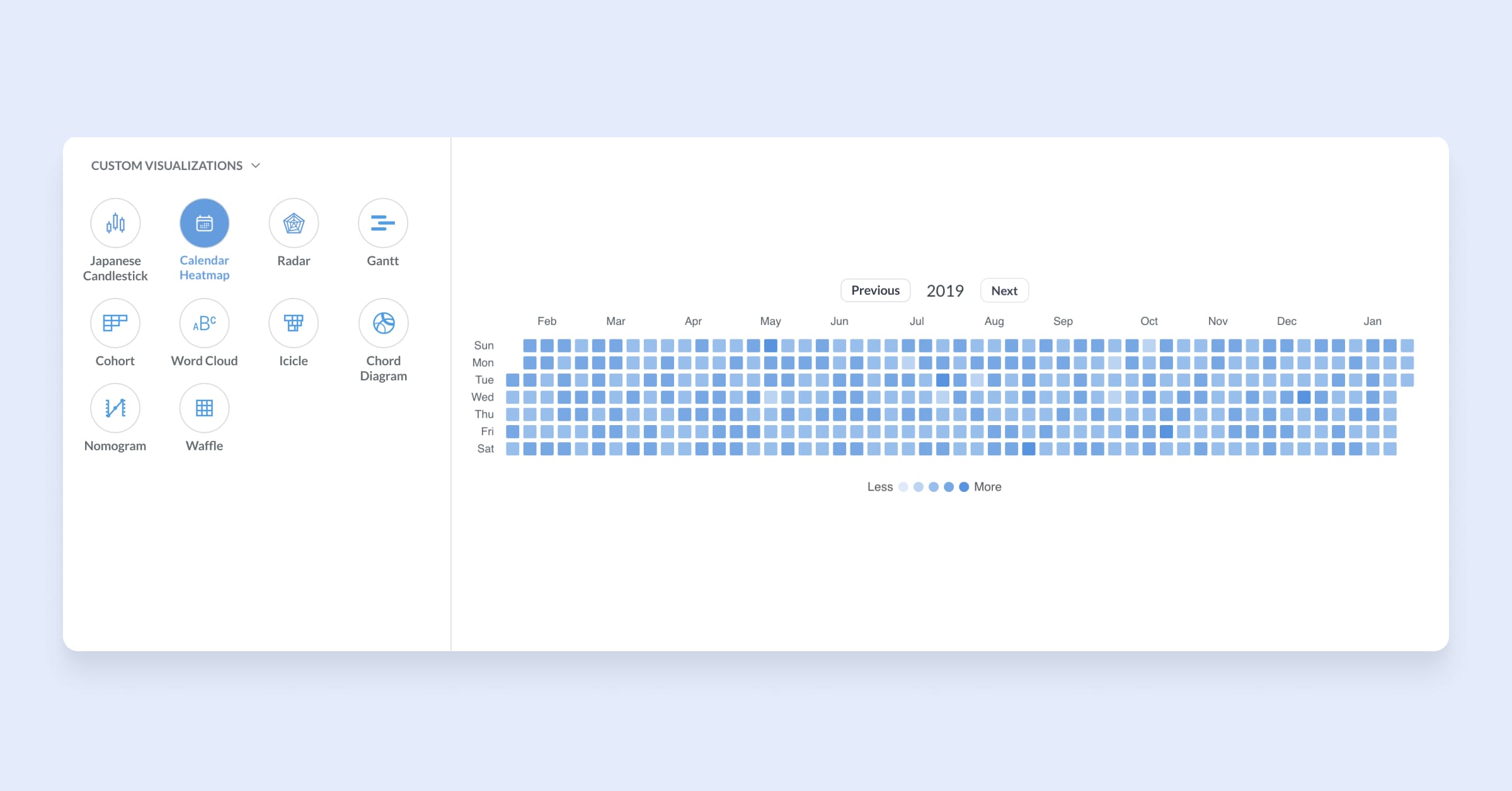
Gantt, org chart, radar, calendar, heatmap — any React-based chart type you can think of, now you can build it in Metabase. The custom visualization plugin SDK (@metabase/custom-viz) lets you build, bundle, and upload any chart type you need. Run npm run build to generate a .tgz file and drop in your new viz type. Set the chart up to work like any other interactive Metabase chart, with drill-through and tooltips. Works with questions, dashboards, and documents. For now, you can’t use custom charts in embeds, and aren’t supported in dashboard subscriptions or alerts.
To try with the calendar heatmap, head to your Admin settings → Custom Visualizations → Enable, and upload a .tgz reference viz. Try for free with Pro.
The MCP server gets more tools, including charts in your chats
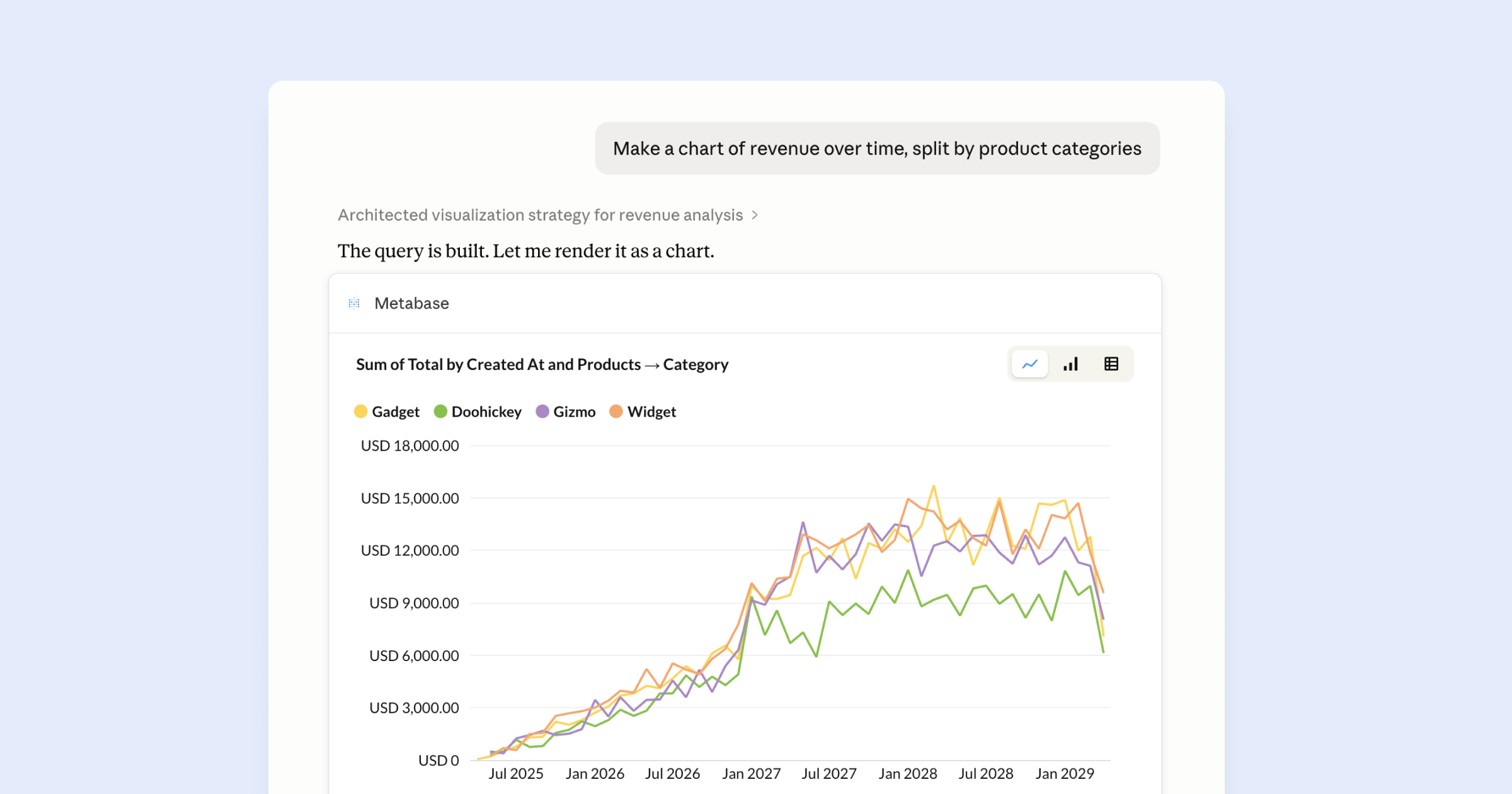
Plain English answers were cool, charts are better. Ask a question in Claude, Cursor, or VS Code, and get a visual answer. The MCP server now returns interactive charts for an easier read on your data and trends. Toggle to change the time range and granularity, change chart type, and drill through to a new chart view. Click Explore to open it in Metabase.
We also gave the MCP server more (and better) tools. Run SQL, update questions and dashboards, and create collections, all from your AI client.
Enable the MCP server from your Admin settings → AI → choose your preferred MCP client.
Manage Metabase from your terminal with the Metabase CLI
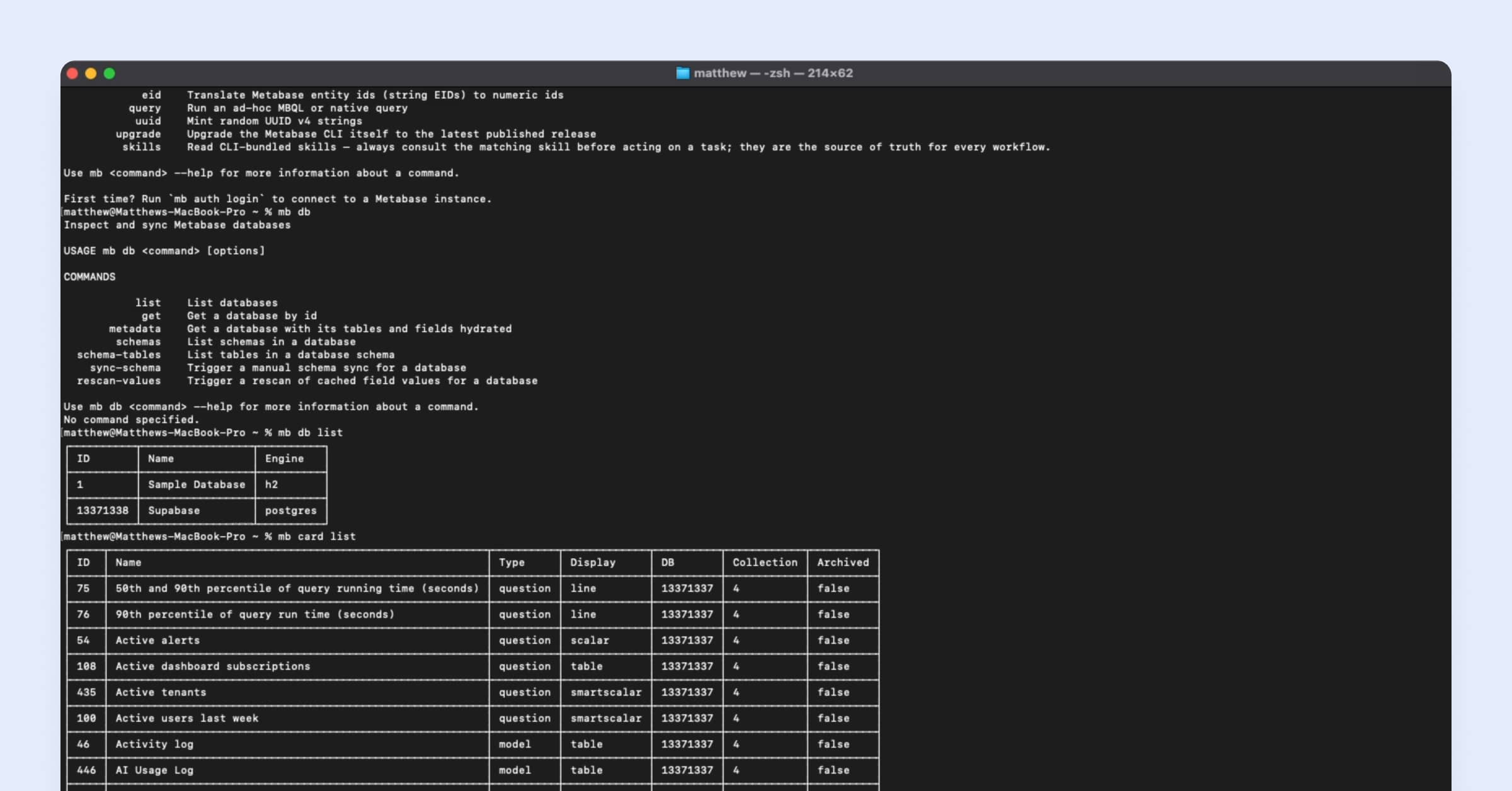
Build Metabase questions, dashboards, documents, transforms, and more from the command line. The CLI is especially handy when working with AI agents. Hand the CLI to an agent and they can really start cooking. Agents can discover the CLI tools with mb --help and work autonomously to create content for you to review.
Get started: npm install -g @metabase/cli → mb auth login → mb db list. Using Claude Code? npx skills add metabase/agent-skills -a claude-code adds the Metabase CLI skill.
See how your tables relate in the interactive Schema Viewer
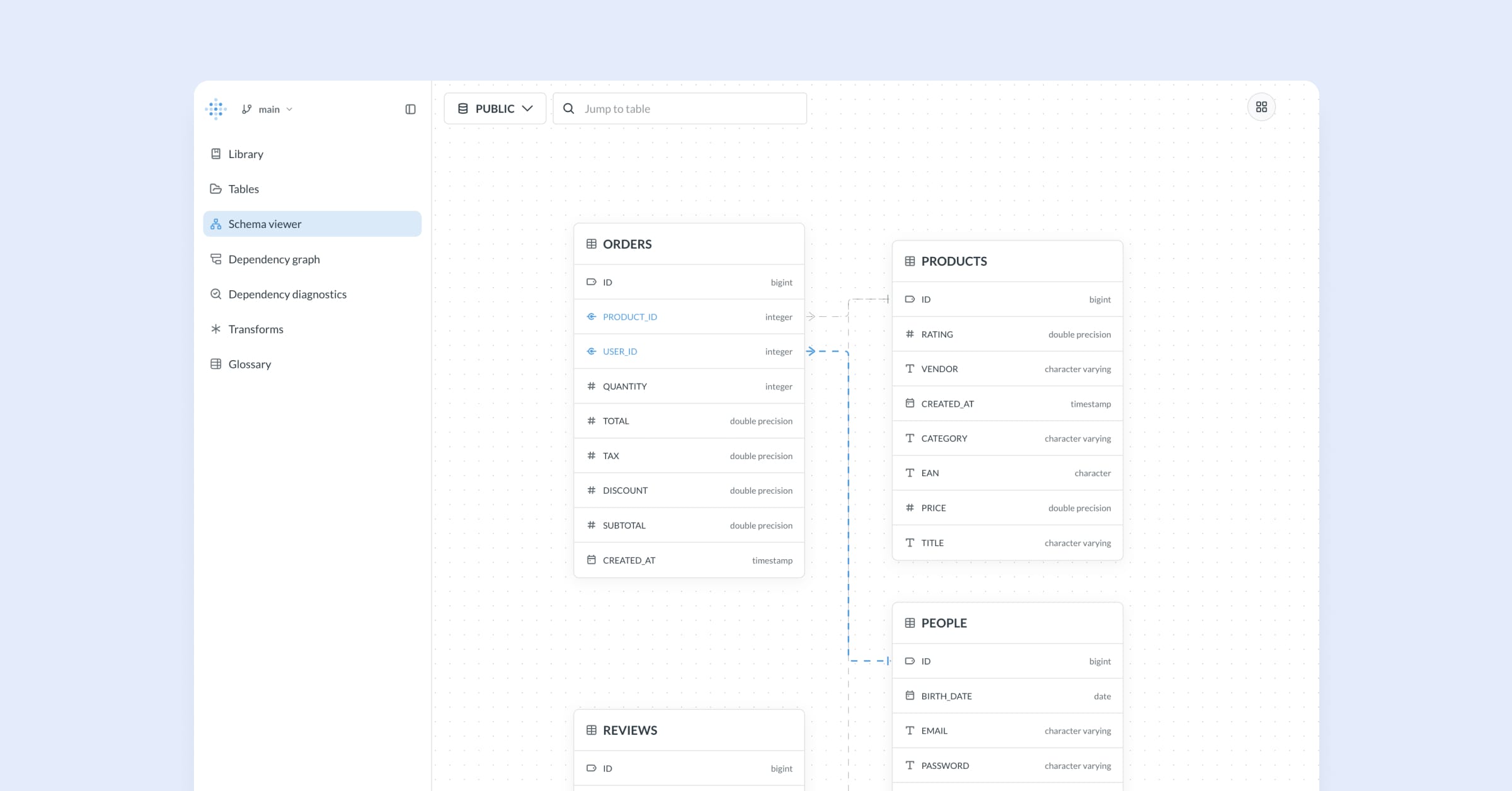
The Schema Viewer is an interactive entity relationship diagram (ERD) in Data Studio. The Schema Viewer shows tables as nodes, foreign and primary key relationships as edges. Foreign keys that point to tables in other schemas can be loaded onto the canvas on demand, so you can trace relationships across schemas without leaving the page.
Pick a schema to explore in Data Studio → Schema viewer. Try for free with Pro.
Organize your Library with collections
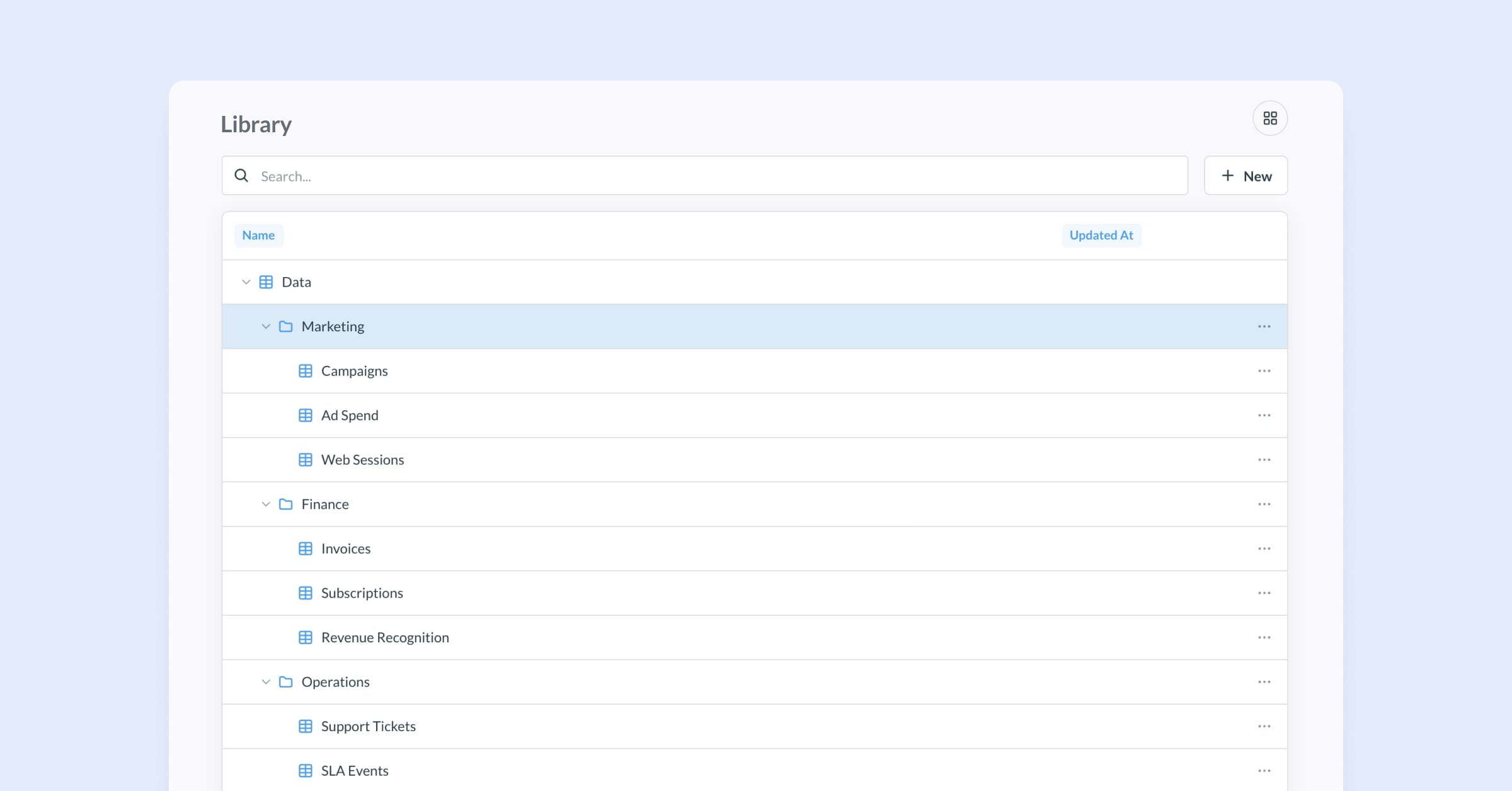
You can now add sub-collections to the Data and Metrics collections in the Library. Sub-collections appear in the data picker when you create a new question, and you can set permission on them like you would any other collection.
To create a new collection in the Library, head to Data Studio → Library → New. Try for free with Pro.
See and manage all of your alerts in one place
Alerts get their own dedicated Admin page so you can see what’s being sent, the owner, the channels they’re sent to, and when each alert last ran. Filter, sort, edit, and bulk-edit alerts from one handy place. No more orphaned or erroring alerts that go unnoticed.
Check out all your alerts in Admin → Tools → Alerts Management.
Dropdown filters for IDs, and labels for question-powered dropdowns
ID filters now get dropdown menus. You can also add human-readable labels to dropdown lists that are powered by questions. This lets you do things like create an ID filter where people can search by either ID or another column, like customer name. That way people could search for either ID 12345 or Acme Corp, and the filter would filter for that ID.
Metrics home page, decluttered
Metrics got a bunch of love lately, so we did a little tidy-up for the home page. The Explore button moved into the chart, sources and dependencies are one click away, and caching settings are tucked into the menu until you need them.
Embedded Analytics
Update filters programmatically in embedded questions and dashboards
In addition to setting initial filter values for embedded components, you can now control component filters with your app without reloading the page. For example, you can use your own UI element to power a filter on a chart or dashboard. Your app can set component parameters on the fly, and get parameter values from embedded components, so your app stays in sync with your embed.
Breaking changes
We’re deprecating the legacy Druid driver. Use Druid JDBC instead.
More cool stuff
From newbie to expert with the Learn Metabase Claude skill
Get Claude to coach you on the ins and outs of Metabase, using examples from your own data with the Learn Metabase skill. The interactive skill quizzes you on what you’ve learned and tracks your progress. Works best with Claude Cowork to remember where you got up to, but you can also use it with Claude Chat.
Find this and more skills in our agent-skills repo.
Big thanks to everyone who contributed
Thanks to everyone who submitted bug reports, feature suggestions, and pull requests. Metabase gets better and better thanks to your efforts.
Hope you enjoy the release. If you want to get into the nitty-gritty, check out our changelog.
Cheers,
The Metabase team
Share this release
See previous releases
All releasesGet started with Metabase
- Free, no-commitment trial
- Easy for everyone—no SQL required
- Up and running in 5 minutes