





These are the docs for the Metabase master branch. Some features documented here may not yet be available in the current release. Check out the docs for the current stable version, Metabase v0.62.
MCP server
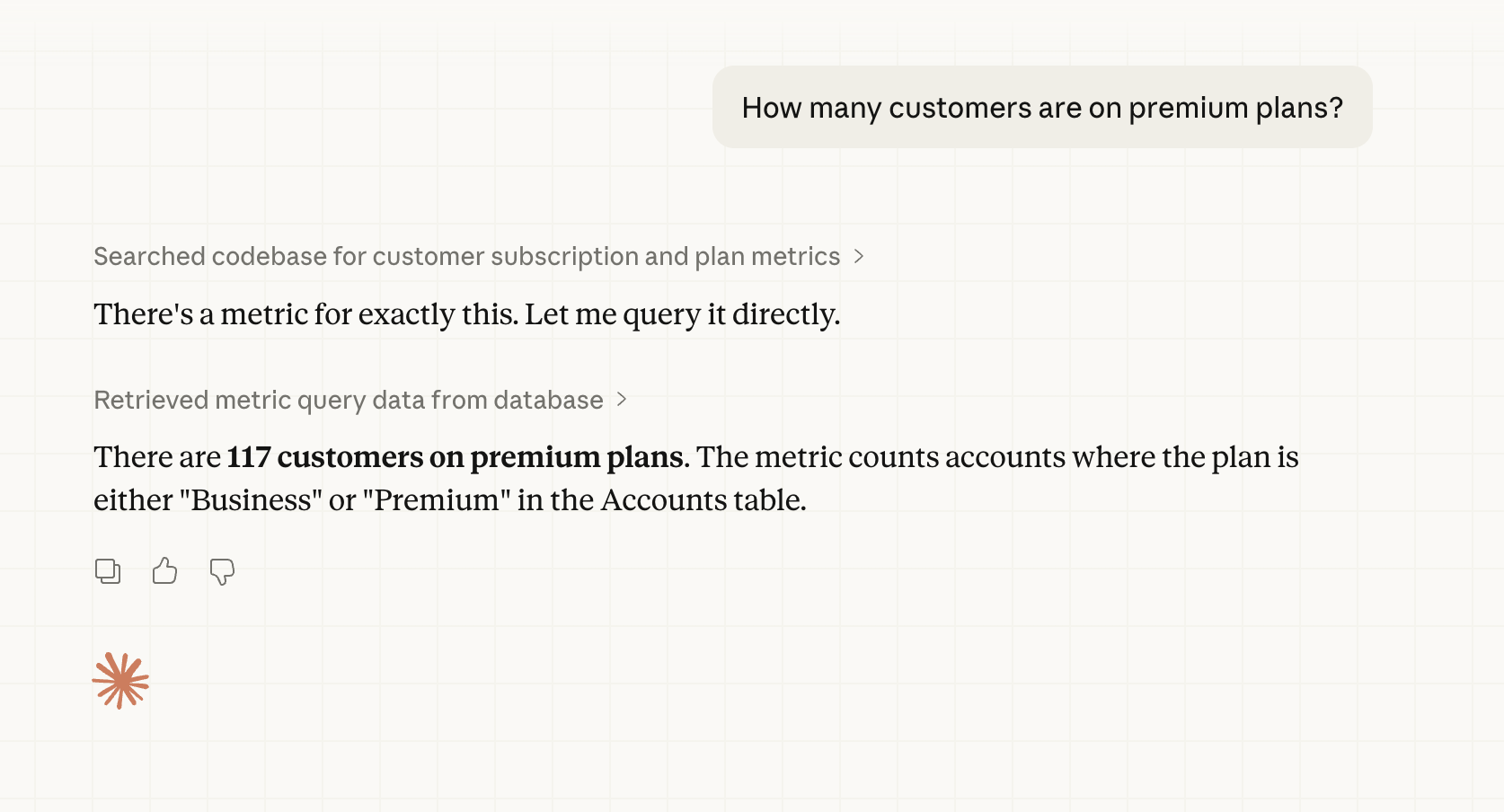
Metabase includes an MCP (Model Context Protocol) server (using Streamable HTTP transport) that lets AI clients connect directly to your Metabase, all scoped to the connecting person’s permissions.
Enable MCP server
Admin > AI > MCP
MCP server and Agent API settings live on their own subpage. From Admin > AI, open the MCP tab in the left sidebar.
Use the MCP server toggle to turn external access to the MCP server on or off.
Supported MCP clients
Under Supported MCP clients, switch on any clients you want to allow:
- Claude (Claude Desktop and Claude on the web)
- Cursor and VS Code
- ChatGPT
Toggling on a client automatically adds that client’s sandbox domains to Metabase’s CORS allowlist, which is what lets browser-based MCP clients make cross-origin requests to your Metabase.
Some clients run outside the browser (like Claude Code on your own machine) and don’t need a CORS allowlist entry. You can connect those clients without toggling anything on (assuming you’ve turned on the main MCP server setting).
Custom MCP client domains
If you run a self-hosted MCP client, or a client that isn’t in the supported list, add the client’s domain to the Custom MCP client domains field. Separate values with a space, for example:
https://mcp.internal.example.com https://*.staging.example.com
The field accepts wildcards (*) for subdomains. Changes take effect in about a minute. Might be a good time to get up and pour yourself a glass of water.
Connect an MCP client
If your admin has turned on your Metabase’s MCP server, all you need to do is point your MCP client at Metabase’s MCP endpoint, /api/mcp. For example:
https://{your-metabase.example.com}/api/mcp
In the terminal, for example, you can run the following command.
claude mcp add --transport http metabase https://{your-metabase-url}/api/mcp
Replacing {your-metabase-url} with your Metabase address. Once added, Claude Code will handle the OAuth flow for you:
For Claude Desktop, you can create a custom connector by just giving it that URL to your Metabase’s mcp endpoint.
Authentication
MCP clients authenticate with Metabase using OAuth 2.0. Metabase runs its own embedded OAuth server, so you don’t need to set up an external OAuth provider.
Your MCP client should try to connect to your Metabase. You’ll see a Metabase-branded consent page asking you to approve the connection to your Metabase.
A first-time connection will go something like this:
- The client discovers Metabase’s OAuth endpoints.
- The client registers itself with Metabase.
- You’re redirected to Metabase to log in (if you aren’t already) and approve the connection.
- The client receives an access token scoped to the permissions you have in Metabase.
Results returned by the MCP server are sent to your MCP client, which may forward them to an AI provider depending on how the client is configured. See Privacy.
Site URL must match the URL your client uses
For containerized setups, like when testing locally, you may need to set the MB_SITE_URL environment variable to the URL you point to. For example, if you’re playing around with a Metabase on localhost:
MB_SITE_URL: http://localhost:3000
Some explanation: OAuth discovery starts with Metabase returning a WWW-Authenticate header whose resource_metadata URL is built from your Site URL setting in Admin > Settings > General (or via the environment variable).
If the site URL doesn’t match an address your MCP client can reach, like if you’re running Metabase in Docker and the site URL got auto-detected from an internal hostname like metabase-dev:3000, the client will register but fail the handshake. Your MCP client will typically report a connection failure rather than prompting you to authenticate (for example, Claude Code shows ✗ Failed to connect rather than ! Needs authentication).
With the MCP server, your client provides the AI
MCP server requests are handled by whatever AI client you’re using (like a desktop AI app or editor plugin). The MCP server just provides tools (like searching for an entity or running the query) for your AI.
For example, if you ask your AI client to use your Metabase’s MCP server “what’s our q3 revenue,” your client will interact with the MCP server to figure out which tools it needs to field your request. Your AI can decide that it needs to use the tool construct_query and execute_query, and what those queries might be. Then your client will call those tools for Metabase to run.
You don’t need to have an AI provider configured in Metabase to use your Metabase’s MCP server. If you do have an AI provider configured in Metabase to power Metabot, that provider will not be used for MCP server requests. MCP calls by your local client have no effect on token usage for your Metabase’s AI connection.
Available tools
Some clients (like Claude Desktop) will ask you to approve each tool the first time it’s used. The MCP server builds on Metabase’s Agent API, and exposes the following tools. If you’re building a custom integration and need full control, use the Agent API directly instead.
- search: Find tables and metrics using keyword or natural language search.
- get_table: Get details about a table, including its fields, related tables, and metrics.
- get_table_field_values: Get sample values and statistics for a field in a table.
- get_metric: Get details about a metric, including its queryable dimensions.
- get_metric_field_values: Get sample values and statistics for a field in a metric.
- construct_query: Construct a query against a table or metric. Returns an opaque query string that can be executed with
execute_query. - execute_query: Execute a previously constructed query and return the results with column metadata, row count, and execution time.
- query: Query a table or metric and return results.
- create_question: Create questions.
- create_dashboard: Create dashboards.
Use the MCP server with file-based development
You can use the MCP server to help you create Metabase content as serialized YAML files that you can import into your Metabase. Point your agent at the MCP server to give it access to your Metabase’s database metadata (table names, fields, and sample values) so it can write questions and dashboards that point at real columns.
Further reading
Read docs for other versions of Metabase.