


Data isolation methods
Row and column security, impersonation, and database routing are only available on Metabase Pro and Enterprise plans.
Metabase offers several ways to ensure people only see the data they’re supposed to see, whether you’re restricting data by team for internal analytics or isolating customer data in a multi-tenant setup. The best method depends on how you store your data and where you want to enforce access rules:
- If all data lives in the same tables, use row and column security to filter data in Metabase, or impersonation to enforce access rules at the database level.
- If each customer or team has their own database, use database routing.
- If you’re embedding dashboards for people without Metabase accounts, use locked parameters.
You can combine these methods. For example, you can use locked parameters for a guest embed while using row and column security for signed-in users.
Row and column security
Row and column security lets you control which rows and columns each group can see. You can define rules that filter data based on user attributes. Metabase applies your rules to questions you build in the query builder.
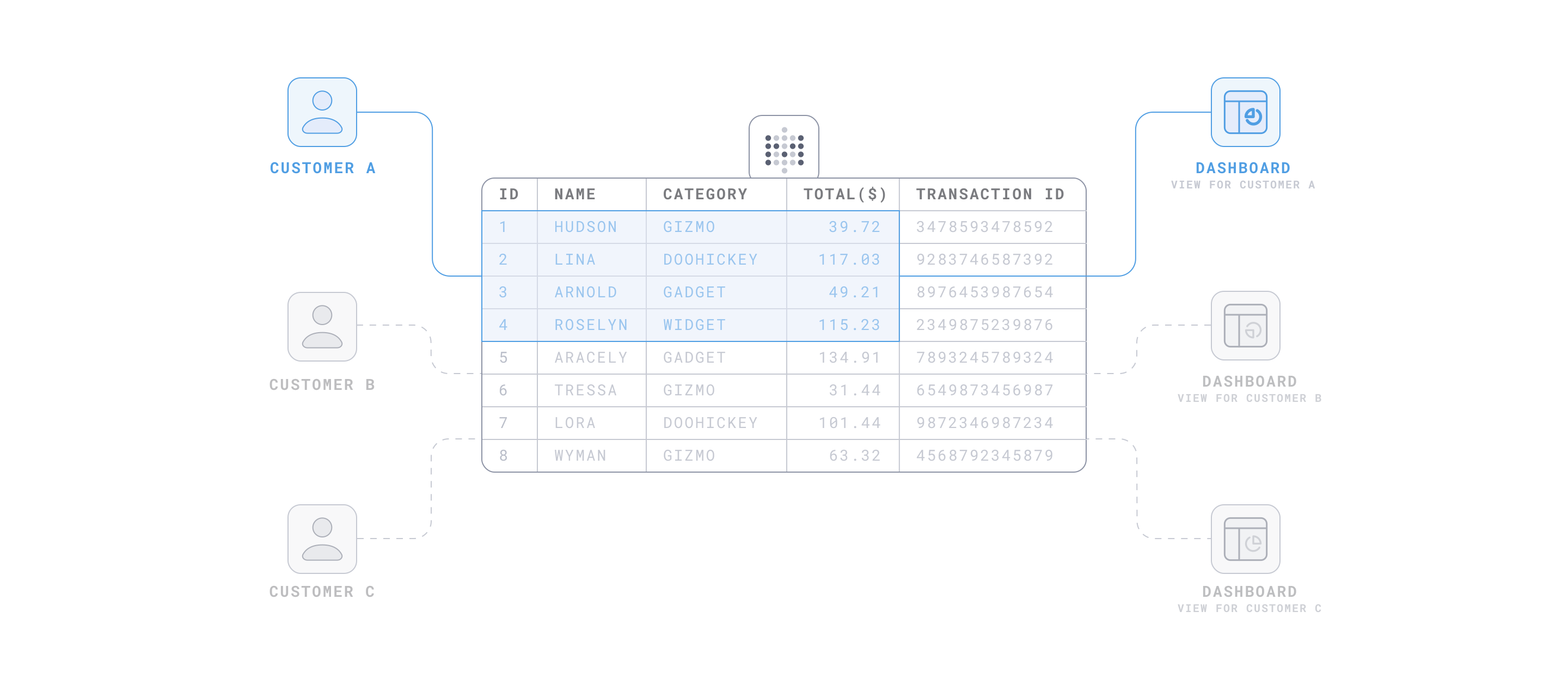
Use row and column security when:
- You need granular control over which rows and columns each group or customer can see.
- You want to manage access rules in the Metabase UI instead of in your database.
Don’t use row and column security when:
- People need to write native SQL queries. Row and column security doesn’t apply to the SQL editor.
- You need column-level security on MongoDB or Druid, which only support row-level security.
Impersonation
Impersonation lets your database control what each person can see. You define roles and row-level security policies in your database. Metabase connects using the role specified by each person’s user attribute, and your database enforces what that role can see.
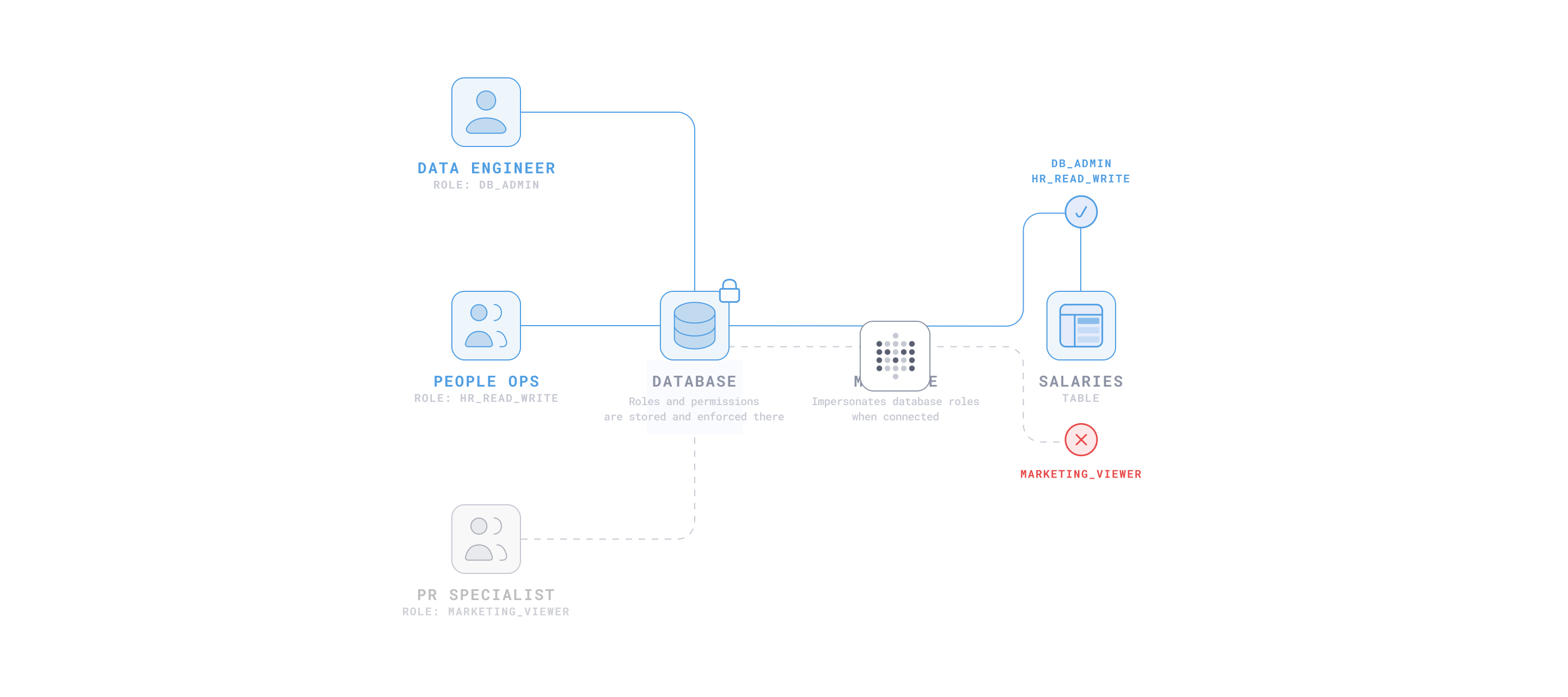
Use impersonation when:
- You want to centralize access logic in your database instead of in Metabase.
- People need to write native SQL queries. Since your database enforces the rules, the rules apply in the SQL editor too.
Don’t use impersonation when:
- Your database doesn’t support it.
- You don’t want to set up and maintain roles and policies in your database.
- You rely heavily on caching. You can’t share cached results between roles.
Database routing
Database routing sends each person’s queries to their own database. You build questions and dashboards once against a primary database, and Metabase routes queries to the right destination database based on each person’s user attribute. Database routing requires that each group’s data lives in a separate database, and that all destination databases have identical schemas.
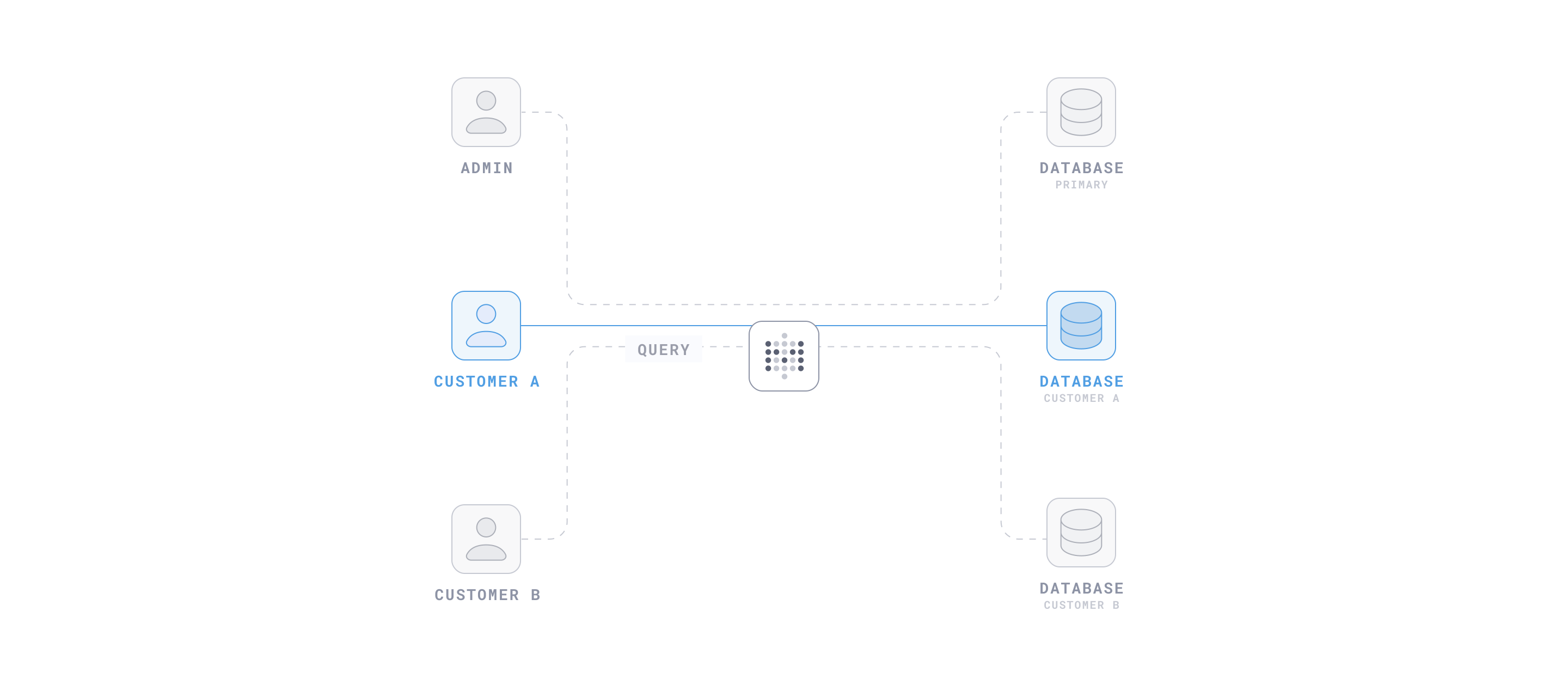
Use database routing when:
- You want the strongest isolation. Each group’s data lives in a separate database.
- You want to avoid one group’s queries affecting the performance of another group’s queries.
Don’t use database routing when:
- Groups share tables. Use row and column security or impersonation instead.
- You want to manage access rules in the Metabase UI instead of maintaining a separate database for each group.
Locked parameters
Locked parameters filter an embedded dashboard or question before Metabase displays it. Your app passes the filter value in a signed JWT. The filter is invisible to the person viewing the embed, and they can’t change it.
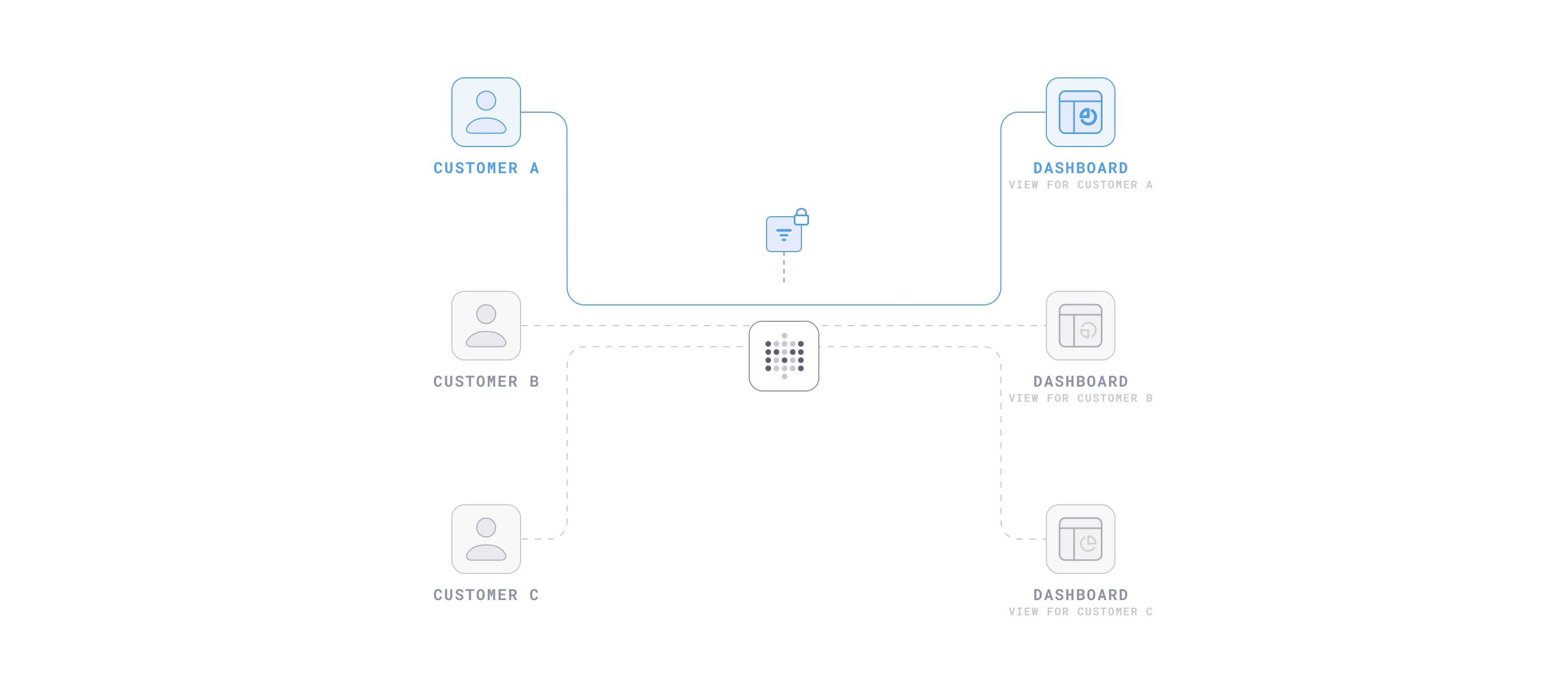
Use locked parameters when:
- You want to restrict data without setting up Metabase accounts, user attributes, or permissions.
- You want to filter data without exposing the filter or its values to the people viewing the embed.
Don’t use locked parameters when:
- You want account-level or role-based access control across your Metabase.
- You’re working with sensitive data. Use a method that enforces access at the permissions or database level instead, like row and column security, impersonation, or database routing.
Further reading
- Permissions overview
- Tenants
- Row and column security
- Impersonation
- Database routing
- Locked parameters for guest embeds
Read docs for other versions of Metabase.