


Embed the query builder
Embedding the query builder is only available on Pro and Enterprise plans (both self-hosted and on Metabase Cloud).
You can embed one of Metabase’s query editors so people can build questions from scratch.
Both query editors need a logged-in Metabase account: to run a new query, Metabase has to know who’s asking, so it can work out which data they’re allowed to see. In an embed, SSO is how you provide that account, so neither editor works in a guest embed. Check out SSO or guest embeds.
And because everyone queries through their own Metabase account, people can only build questions on databases their groups have permission to query. See data permissions.
Both query editors use the same <metabase-question> element as an embedded chart, so they take the same attributes and props. See the Question component reference.
To embed an existing chart instead, check out Embed a chart.
Embed the visual query builder
To let people build new questions with the visual query builder, use new as the question ID.
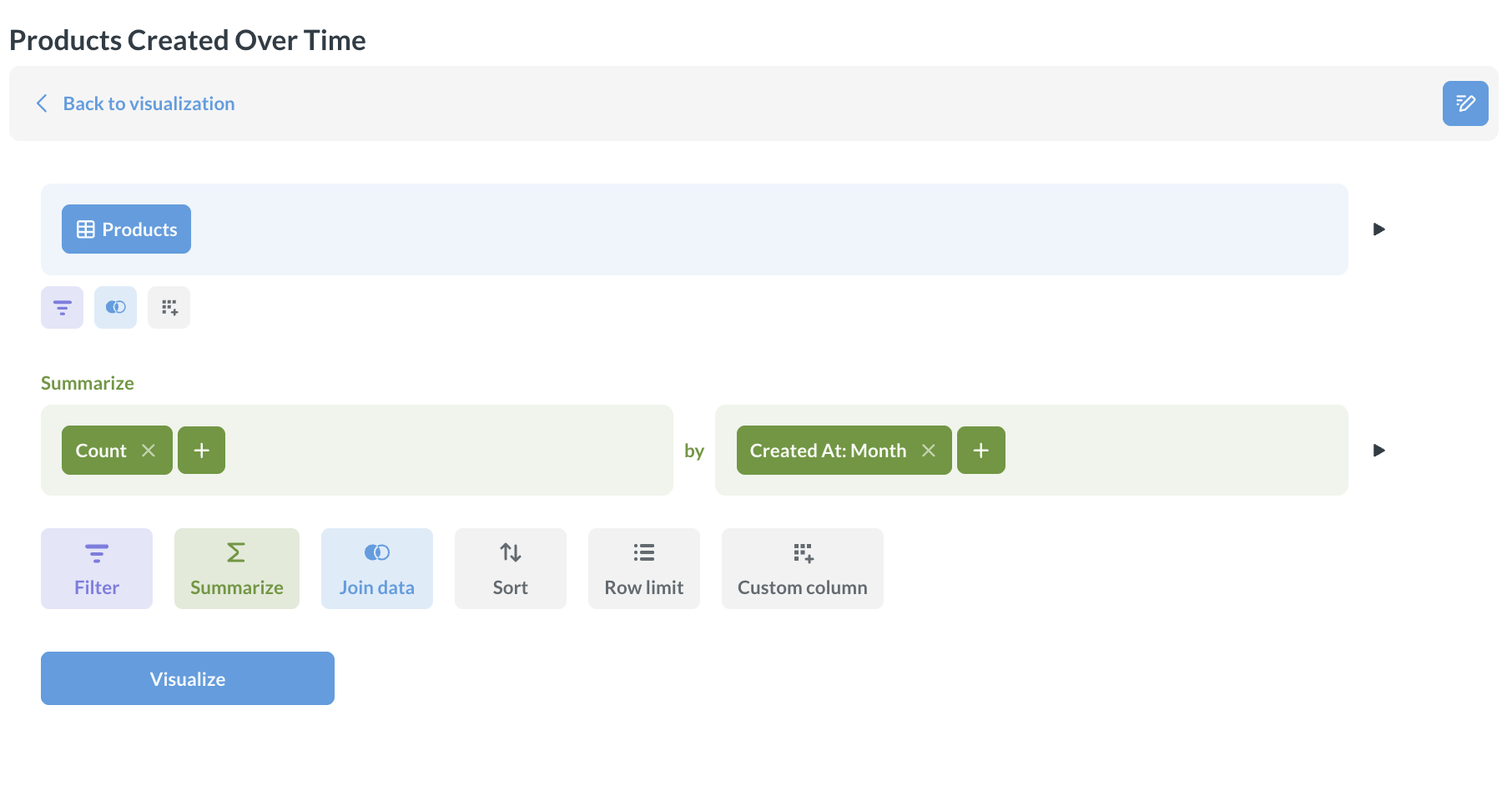
As a web component:
<metabase-question question-id="new"></metabase-question>
With the SDK:
import React from "react";
import {
  InteractiveQuestion,
  MetabaseProvider,
  defineMetabaseAuthConfig,
} from "@metabase/embedding-sdk-react";

const authConfig = defineMetabaseAuthConfig({
  metabaseInstanceUrl: "https://your-metabase.example.com",
});

export default function App() {
  return (
    <MetabaseProvider authConfig={authConfig}>
      <InteractiveQuestion questionId="new" />
    </MetabaseProvider>
  );
}
To narrow down what people can start from, list the entity types you want in the data picker with the entity-types attribute (web component) or the entityTypes prop (SDK). For example, entity-types="['table']" limits the picker to raw tables. The attribute takes "table", "model", or both.
Embed the SQL editor
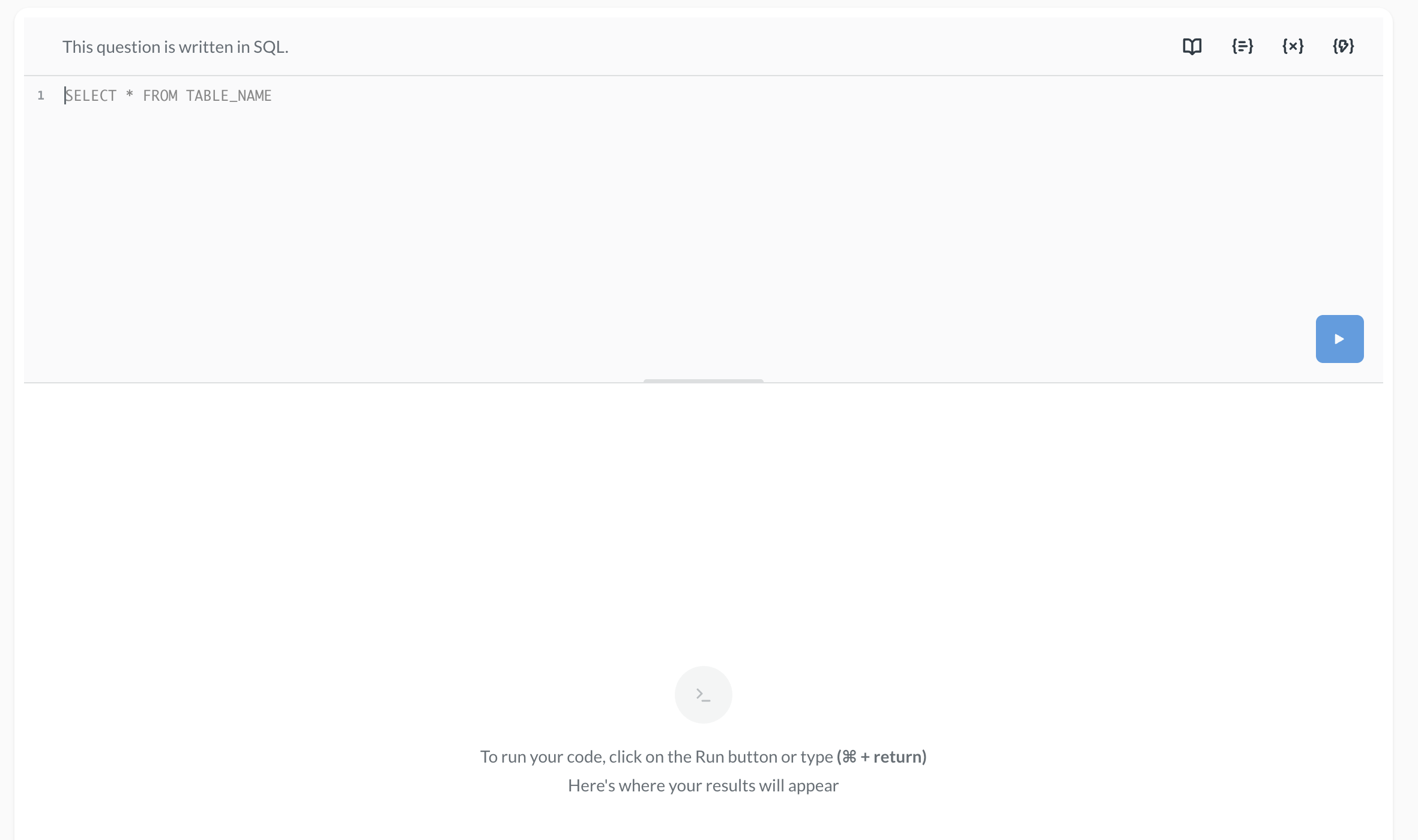
To let people write native SQL, use new-native as the question ID.
As a web component:
<metabase-question question-id="new-native"></metabase-question>
With the SDK:
import React from "react";
import {
  InteractiveQuestion,
  MetabaseProvider,
  defineMetabaseAuthConfig,
} from "@metabase/embedding-sdk-react";

const authConfig = defineMetabaseAuthConfig({
  metabaseInstanceUrl: "https://your-metabase.example.com",
});

export default function App() {
  return (
    <MetabaseProvider authConfig={authConfig}>
      <InteractiveQuestion questionId="new-native" />
    </MetabaseProvider>
  );
}
Let people save questions
Saving with web components
With a web component, turn saving on with is-save-enabled="true". target-collection is optional, but it’s worth setting: it picks the collection that new questions land in, so people’s work doesn’t scatter across your Metabase.
<metabase-question
  question-id="new"
  is-save-enabled="true"
  target-collection="5"
></metabase-question>
These examples use sequential IDs — the number in the item’s URL. On Pro and Enterprise plans, you can use entity IDs instead; they stay the same when you serialize content from one Metabase to another, like from staging to production.
Saving with the React SDK
With the SDK, saving is already on, so targetCollection is all you need. Setting targetCollection also hides the collection picker, so nobody has to decide where their question goes.
For the isSaveEnabled, onBeforeSave, and onSave props, check out Let people save their changes.
Customize the query builder’s layout
With the SDK, you can build your own layout out of the namespaced components inside InteractiveQuestion, like <InteractiveQuestion.Editor />. See InteractiveQuestion components.
Further reading
- Embed a chart
- Question component reference
- Embed a dashboard
- Dashboard component reference
- Modular embedding
- Modular embedding SDK
- Modular embedding components
- Appearance
Read docs for other versions of Metabase.